
This site is supported by our readers. We may earn a commission, at no cost to you, if you purchase through links.

Most people ignore their thermostat until something goes wrong—the house is freezing at midnight, or the energy bill arrives and the number doesn’t make sense. That small device on your wall controls more of your daily comfort and monthly costs than you might expect.
A thermostat for beginners doesn’t have to be complicated, but picking the wrong one for your HVAC system creates real problems. Knowing what each type does, how to install it safely, and which features actually matter will save you time, money, and a cold night waiting for a technician.
Table Of Contents
- Key Takeaways
- What a Thermostat Does
- Types of Beginner Thermostats
- Choosing The Right Thermostat
- Installing Thermostats The Right Way
- Top 6 Thermostats for Beginners
- Frequently Asked Questions (FAQs)
- What is the best and easiest thermostat to use?
- What kind of thermostat for gas fireplace?
- What is the best thermostat setting for seniors?
- What is the easiest thermostat to set up?
- What to set the thermostat to in a winter storm?
- What to know before buying a thermostat?
- How much does a thermostat typically cost?
- Can I install a thermostat myself safely?
- What thermostat brands are most reliable long-term?
- Do smart thermostats work during internet outages?
- Conclusion
Key Takeaways
- thermostat type must match your HVAC system — a mismatch can leave you cold at midnight and stuck with a repair bill.
- Smart thermostats earn their higher price through scheduling, geofencing, and energy reports that quietly shrink your monthly bill without extra effort.
- Before touching a single wire, cut power at the breaker, photograph your existing wiring, and label each wire by terminal letter — not color.
- Where you mount your thermostat matters as much as which one you buy — keep it on an interior wall, away from sunlight, drafts, and vents.
What a Thermostat Does
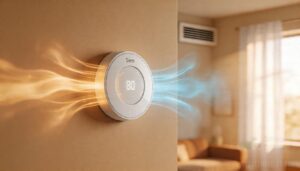
A thermostat is the control center of your home’s heating and cooling system. It reads the air temperature, compares it to your set point, and tells your HVAC equipment when to turn on or off.
For heat-specific applications, a heat mat thermostat vs. standard thermostat comparison reveals how probe-based sensing offers more precise control than typical air-reading systems.
Here’s a closer look at exactly how that process works.
Basic Thermostat Function
Think of your thermostat as a gatekeeper — it doesn’t create heat or cold, it just decides when to ask for it. Here’s what it manages in essence:
- Reads air temperature through built-in temperature sensor types
- Compares that reading against your temperature setpoint
- Uses setpoint logic to trigger a thermostat relay
- Controls equipment through low-voltage wiring
- Maintains comfort using deadband adjustment
Modern units often rely on a bimetallic strip mechanism for simple mechanical control.
How Thermostats Control Room Temperature
Your thermostat runs on a simple feedback loop — it reads the room, compares that to your temperature setpoint, then acts.
Control algorithms handle the timing, accounting for thermal lag so the HVAC system doesn’t overshoot. Temperature bandwidth keeps cycling tight.
| Stage | What Happens | Why It Matters |
|---|---|---|
| Sensor reads air | Temperature sensors capture room conditions | Accuracy prevents over-cycling |
| Setpoint comparison | Current temp vs. adjustable setpoint | Triggers heating or cooling call |
| System response | HVAC system cycles on or off | Maintains temperature control |
How Thermostats Signal HVAC Systems
Once the feedback loop triggers a call, your thermostat acts like a switchboard. It routes R wire power to the right terminal — W for a heat call, Y for a cooling call, G for fan activation.
That’s the whole control circuit.
Before you wire it for your home, pull up your wiring diagram. It makes the installation process straightforward and keeps your HVAC system protected.
Why Accurate Temperature Control Matters
Accurate temperature control isn’t just about comfort — it affects everything from Product Quality to Equipment Longevity. A well-calibrated thermostat with a tight temperature differential keeps your system running efficiently and your home steady.
A well-calibrated thermostat protects comfort, quality, and equipment — precision is everything
- Comfort Consistency reduces hot and cold swings
- Energy Efficiency lowers wasted heating and cooling cycles
- Temperature accuracy protects food, medicine, and equipment
- Thermostat calibration prevents temperature swing overshoot
- Safety Compliance keeps stored goods within safe limits
Types of Beginner Thermostats
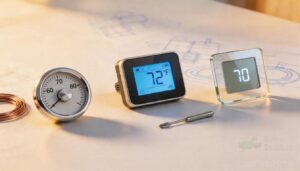
Not all thermostats work the same way, and picking the wrong one can make your life harder than it needs to be.
The good news is that there are really just a few main types, and each one fits a different kind of household.
Here’s what you need to know before choosing yours.
Non-programmable Thermostats
A non-programmable thermostat is about as straightforward as it gets. You set one temperature using a dial or buttons — that’s your Fixed Setpoint Control.
The Simple Mechanical Switch tells your HVAC to run until the room hits that target, then shuts it off.
Its Limited Feature Set keeps things simple, and Low Cost Operation makes it a solid pick for basic home comfort.
Programmable Thermostats
Unlike a basic dial model, a programmable thermostat lets you build a temperature schedule around your actual day. Set Temperature Setbacks automatically — cooler while you’re at work, warmer when you wake up.
Seasonal Programming manages weekday and weekend differences without manual adjustments.
It automatically adapts to your weekly routine, and you can explore how these features work together for smarter thermostat scheduling and energy savings.
Built-in Hysteresis Control reduces temperature swings, cutting wasted runtime. That consistency is how programmable thermostats deliver real energy savings over time.
Smart Thermostats
Smart thermostats are the closest thing to a fully automatic HVAC system you can install yourself. They use learning algorithms and sensor fusion to study your routine, then adjust temperatures without you lifting a finger.
Geofencing integration, voice assistant compatibility, and remote control make managing comfort simple.
Firmware OTA updates keep features current. Energy saving comes naturally through home automation that works quietly in the background.
Battery-powered Vs Hardwired Models
Your power source choice shapes how much upkeep you’ll deal with. Battery-powered thermostats win on DIY installation — no C wire needed, making them ideal for older homes.
Battery lifespan runs roughly one to two years, though dead cells kill the display quickly.
Hardwired models offer stronger power outage resilience with backup power options, but installation considerations for DIY users include verifying existing wiring first.
Wi-Fi and App-connected Options
Wi-Fi thermostats put remote control capabilities in your pocket. Through mobile app control, you can adjust the temperature before you get home, set schedules, and check energy reports.
Features like geofencing automation, multi-device integration, and user permissions let your whole household stay in sync.
Over-the-air updates and app diagnostics keep the system current.
Wi-Fi connectivity and app integration make smart thermostat management genuinely straightforward.
Choosing The Right Thermostat
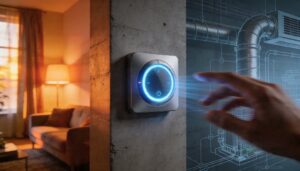
Picking the right thermostat comes down to a few key factors — and getting them right from the start saves you time, money, and frustration later.
Your HVAC system, daily habits, and budget all play a role in the decision.
Here’s what to look at before you buy.
HVAC System Compatibility
Not every thermostat works with every HVAC system — and that mismatch can cause real problems. Before buying, confirm thermostat compatibility with your HVAC system.
Forced-air systems use standard low-voltage wiring, while heat pumps require heat pump reversing valve support and auxiliary heat integration. These differences highlight the need for careful selection.
Multi-stage compatibility and zoned system support also matter, as they ensure efficient operation across various HVAC configurations.
Line-voltage wiring demands a completely different thermostat type, further emphasizing the importance of verifying system requirements before purchase.
Display Readability and Simple Controls
Once you’ve confirmed compatibility, the display and controls deserve equal attention. A good thermostat shouldn’t require a manual just to change the temperature.
Look for these four features:
- Large Number Display — easy-to-read display from across the room
- High Contrast Text — backlit screens improve visibility day and night
- Clear Status Icons — shows heating or cooling mode at a glance
- Simple Button Layout — fewer buttons means fewer mistakes
An easy-to-use interface with simple operation makes daily use smooth.
Scheduling and Programming Features
Beyond the display, thermostat scheduling is where real savings start.
A programmable thermostat lets you set Daily Setbacks — lowering temps while you sleep or are away, then recovering before you return. Weekly Programs manage different routines for workdays versus weekends.
Adaptive Recovery learns your system’s timing automatically. Override Controls adjust things without erasing your individualized schedules, and Vacation Mode manages longer absences efficiently.
Remote Access and Voice Control
Scheduling manages your routine — but what about when plans change? Remote control through a smartphone app lets you adjust settings from anywhere, right after Cloud Account Creation links your thermostat to the internet.
- Connect Google Home app or Amazon Alexa via Assistant Device Discovery
- Enable Privacy Encryption and Voice Command Customization for security
- Receive Remote Firmware Updates automatically
Voice control makes adjustments hands-free.
Energy-saving Modes and Reports
Remote access helps you act fast — but smart energy modes work quietly in the background. Eco Mode lowers heating or cooling targets when no one’s home. Away Detection kicks in automatically. Schedule Setback trims runtime during sleep or work hours. Energy Reports show exactly where you’re saving.
| Feature | What It Does | Energy Impact |
|---|---|---|
| Eco Mode | Shifts to efficient setpoints | Reduces daily runtime |
| Away Detection | Detects empty home | Cuts unnecessary heating/cooling |
| Schedule Setback | Lowers temps during off-hours | Up to 8.4% savings |
Standby Power and energy saving features of Nest thermostats — like auto Eco — steadily reduce energy consumption and shrink your utility bill.
Budget, Warranty, and Long-term Value
Price isn’t everything, but it matters. Basic models start around £20–£50, while smart thermostats run £150–£300. Factor in installation fees — labour alone costs £40–£60 per hour.
Here’s what shapes your return on investment:
- Upfront cost ranges widely by type
- Warranty length varies from 1 to 10 years
- Energy savings reach up to 30%
- Smart models offer stronger cost reduction long-term
- budget-friendly simple thermostats still deliver reliable warranty and longevity
Installing Thermostats The Right Way
Installing a thermostat isn’t complicated, but skipping a step can cost you. A few key actions before you touch a single wire will keep you safe and make the whole process much smoother.
Here’s what to do, in order.
Turning Off Power Safely
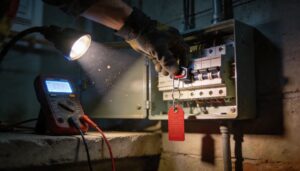
Before you touch a single wire, shut off the HVAC breaker — this is the breaker isolation procedure that protects you from the low-voltage control circuit. Don’t assume the breaker being off means zero risk.
Run a voltage verification test with a multimeter.
For longer jobs, a lockout tagout protocol prevents anyone from flipping the breaker back on mid-installation.
Labeling Wires Before Removal
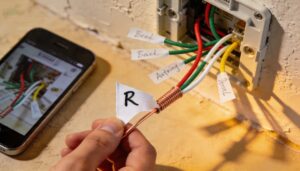
Before pulling a single wire, grab your phone and take a clear photo — that snapshot becomes your most reliable wiring setup reference. Then label each wire using flag-style labels marked with the terminal letter, not just the wire color.
This wire mapping step makes any DIY installation or future professional installer visit far simpler. Good label placement and wire control prevent costly mix-ups.
Checking for a C Wire
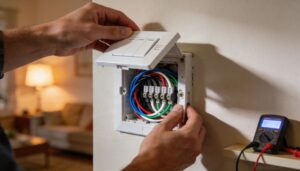
The C wire is the heartbeat of any smart thermostat installation. Remove the faceplate and check for a wire on the terminal labeled C — blue and black are common colors, but wire color identification alone isn’t reliable.
Confirm control board verification at your furnace, too. No C wire?
Spare wire utilization or power adapter options can solve it. A multimeter voltage test confirms everything’s live.
Mounting and Leveling The Base Plate
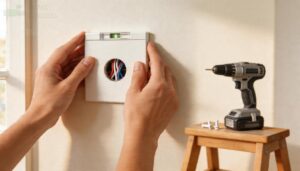
crooked base plate makes the whole thermostat looks sloppy — and it can actually cause problems. surface preparation matters before anything else. Clear away dust, loose paint, and debris so the plate sits flush.
Follow this step‑by‑step guide for a DIY‑friendly mount:
- Screw Hole Layout using the built-in level or a bubble level
- Choose the right Fastener Choice — anchors for drywall, screws into studs
- Apply Leveling Methods: recheck alignment after snugging the first screw
- Confirm Wire Clearance through the center opening before snapping on the display
Connecting Wi-Fi and Testing Settings
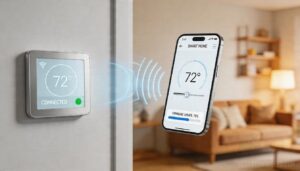
Your smart thermostat is mounted — now comes the part that unlocks its remote control capabilities. Open the manufacturer’s app and follow the App Pairing Troubleshooting steps on screen.
Always run a Signal Strength Check before finishing; weak WiFi connectivity causes failed updates and dropped alerts. Complete Firmware Update Validation, confirm Remote Access Verification works outside your home network, then save all key settings, including thermostat programming and Router Compatibility preferences.
Placement and Maintenance Basics
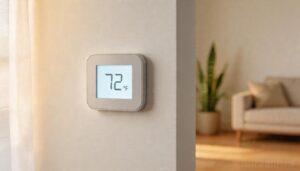
Where you place your thermostat matters just as much as how you wire it. Follow these placement and maintenance basics to keep it reading accurately:
- Mount it on an interior wall location — outside walls skew readings.
- Practice sunlight avoidance — direct light triggers early shutoffs.
- Keep airflow unobstructed around the unit.
- Apply draft mitigation near doors and vents.
- Schedule a battery health check annually.
Top 6 Thermostats for Beginners
Finding the right thermostat doesn’t have to be complicated. The six models below cover a range of budgets, system types, and feature sets — so there’s likely one that fits your setup.
Here’s what made the cut.
1. Sensi Touch Smart Thermostat
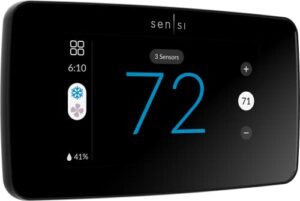
The Sensi Touch Smart Thermostat is a solid choice if you want full control without a steep learning curve.
Its color touchscreen changes color to show whether it’s heating or cooling, and the backlit display keeps things readable at night.
At $145, you get geofencing, 7-day scheduling, and compatibility with Alexa, Google Assistant, and Apple HomeKit.
It requires a C-wire, so check your wiring first.
A 5-year warranty adds real peace of mind.
| Best For | Homeowners who want an easy-to-install smart thermostat with solid app control and don’t mind checking their wiring setup first. |
|---|---|
| Price | $145.00 |
| Power Source | C-wire required |
| Smart Features | Yes (Wi-Fi, app, voice) |
| Display Type | Mobile app primary |
| HVAC Compatibility | AC, boiler, furnace, heat pump |
| Energy Savings | ~23% claimed |
| Additional Features |
|
- Simple guided installation via the app makes setup manageable for most DIYers
- Works with Alexa, Google Assistant, and Samsung SmartThings for hands-free control
- Geofencing and 7-day scheduling help cut energy costs without much effort
- Requires a C-wire, which older homes may not have
- Wi-Fi connectivity can be spotty, and there’s no offline/local control option
- Room sensors for multi-room balancing cost extra on top of the $145 price tag
2. Riseem Non Programmable Thermostat
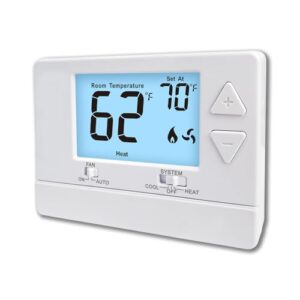
Not everyone needs a smart thermostat. If your goal is simple, reliable temperature control, the Riseem S3001 keeps things honest at just $26.99.
It runs on 24 VAC or two AA batteries, so no C-wire is required. Installation fits within 30 minutes for most single-stage forced-air or hot-water heating systems.
The backlit LCD is easy to read, and separate heating and cooling swing settings help trim energy waste. Just know it won’t work with heat pumps or mini-splits.
| Best For | Homeowners with a basic single-stage heating or cooling system who want simple, no-fuss temperature control without paying for smart features they’ll never use. |
|---|---|
| Price | $26.99 |
| Power Source | 24 VAC or 2 AA batteries |
| Smart Features | No |
| Display Type | Backlit LCD |
| HVAC Compatibility | Single-stage heat/cool only |
| Energy Savings | Adjustable swing only |
| Additional Features |
|
- No C-wire needed — runs on 24 VAC or two AA batteries, so it works in more homes right out of the box
- Quick, straightforward installation that most DIYers can knock out in under 30 minutes
- Separate heating and cooling swing settings give you a little control over energy use without overcomplicating things
- Won’t work with heat pumps, mini-splits, multistage systems, or electric baseboard heat — compatibility is pretty narrow
- No smart home or programmable features, so you’re manually adjusting it every time
- The backlight can be flaky — some users have to tap the unit just to get the display to light up
3. Honeywell Home Non Programmable Thermostat
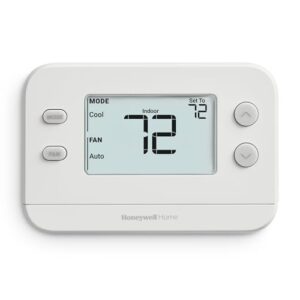
If you want something even simpler, the Honeywell Home RTH11B (X1N) costs $34.98 and does exactly one job well — control your temperature without fuss. It runs on two AA batteries, so no C-wire headaches.
The large backlit display shows your current and set temperature at the same time, making it easy to read from across the room.
It works with forced-air and hot-water systems, but won’t handle electric baseboard heat or heat pumps.
| Best For | Anyone who wants a no-nonsense thermostat — great for seniors, renters, or anyone tired of dealing with complicated controls or app setups. |
|---|---|
| Price | $34.98 |
| Power Source | 2 AA batteries |
| Smart Features | No |
| Display Type | Backlit LCD |
| HVAC Compatibility | Single-stage heat/cool only |
| Energy Savings | None claimed |
| Additional Features |
|
- Big, backlit display that’s easy to read from across the room
- Dead-simple to install — most people are done in under 15 minutes
- Runs on AA batteries, so no C-wire wiring headaches
- No smart features — forget Wi-Fi, scheduling, or remote control
- Won’t work with electric baseboard heat or heat pumps
- No built-in battery backup, so you’ll lose settings if the batteries die
4. Amazon Alexa Smart Thermostat
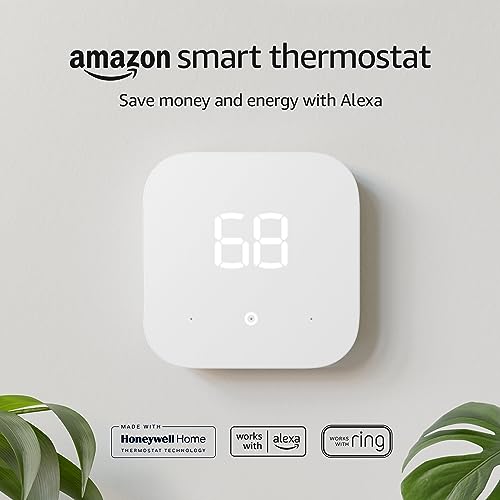
The Amazon Alexa Smart Thermostat costs $79.99 and fits neatly into a smart home setup. It requires a C-wire for power, so check your wiring before buying.
Setup runs through the Alexa app, which walks you through each step.
You get four preset modes — Home, Away, Sleep, and Work — plus presence detection using Echo devices.
It’s ENERGY STAR certified, and utility rebates can bring the price down substantially.
One heads-up: it only connects to 2.4 GHz Wi‑Fi networks.
| Best For | Alexa households looking for an affordable, easy-to-install smart thermostat that works with their existing Amazon ecosystem. |
|---|---|
| Price | $20.51 |
| Power Source | 24 VAC or 2 AAA batteries |
| Smart Features | No |
| Display Type | Backlit LCD |
| HVAC Compatibility | Forced-air, heat-only, millivolt |
| Energy Savings | Adjustable swing only |
| Additional Features |
|
- At $79.99 — and with utility rebates potentially dropping it lower — it’s one of the more budget-friendly smart thermostats out there.
- Setup is genuinely DIY-friendly; the Alexa app walks you through the whole process step by step.
- ENERGY STAR certified with presence detection, so it can actually cut your energy bill without much effort on your part.
- You’ll need a C-wire to power it — if your current setup doesn’t have one, that’s an extra hurdle before you can even get started.
- Wi-Fi reconnection after a power outage can be flaky, and some users have had to reset it manually.
- Scheduling is limited to four fixed modes, so if you want a more flexible or custom routine, you’ll hit a wall pretty quickly.
5. Ecobee Smart Thermostat Premium
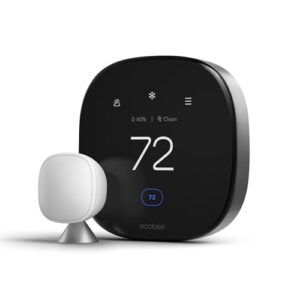
The Ecobee Smart Thermostat Premium costs $229 and earns that price tag. It works with roughly 95% of 24VAC systems and includes a Power Extender Kit if your home lacks a C-wire.
The 4-inch touchscreen is easy to read and built-in Alexa and Google Assistant let you adjust settings hands‑free.
The Occupancy radar detects when you’re home and adapts automatically. It can also monitor air quality and alert you to filter changes — useful details most thermostats skip entirely.
| Best For | Homeowners who want a premium, all-in-one smart thermostat with air quality monitoring, room-level control, and built-in voice assistants to cut energy costs without juggling multiple devices. |
|---|---|
| Price | $79.99 |
| Power Source | C-wire or 24V transformer |
| Smart Features | Yes (Wi-Fi, Alexa) |
| Display Type | Monochrome LCD |
| HVAC Compatibility | Forced-air, heat pump (no aux) |
| Energy Savings | ~$50/yr EPA estimate |
| Additional Features |
|
- Occupancy radar and SmartSensor support keep every room at the right temp, not just the hallway where the thermostat lives.
- Built-in air quality monitor with filter-change alerts is a genuinely useful feature you won’t find on most competitors.
- Works with ~95% of 24VAC HVAC systems and includes a Power Extender Kit for homes without a C-wire — so installation headaches are mostly covered.
- The window/door auto-pause feature sounds great but requires extra SmartSensors and a paid Ecobee Smart Security subscription.
- Siri only works if you already have an Apple Home hub set up — otherwise you’re limited to Alexa or Google Assistant.
- At $229, it’s a real investment, and some of the best features cost even more to unlock with accessories or subscriptions.
6. Honeywell Smart Color WiFi Thermostat
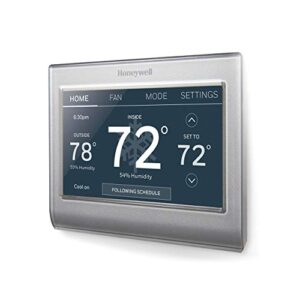
The Honeywell RTH9585WF1004 sits at $133.99 and brings a 7‑inch color touchscreen you can actually customize to match your wall. It works with forced‑air, hot‑water, steam, and heat‑pump systems — just not electric baseboard heat.
You’ll need a C‑wire for power.
The app is free, remote control works from anywhere, and Alexa processes voice commands.
Monthly energy reports help you spot waste.
One honest note: the humidity sensor can run about 5% off.
| Best For | Homeowners who want a stylish, app-connected thermostat with scheduling and voice control for compatible forced-air or heat-pump systems. |
|---|---|
| Price | $229.00 |
| Power Source | C-wire or PEK included |
| Smart Features | Yes (Wi-Fi, app, voice) |
| Display Type | Color touchscreen |
| HVAC Compatibility | ~95% of 24VAC systems |
| Energy Savings | Up to 26% claimed |
| Additional Features |
|
- 7-inch color touchscreen you can customize to match your wall, plus remote control from anywhere via the free app
- ENERGY STAR certified with monthly energy reports and demand-response program support — real money-saving potential
- Works with a wide range of systems (forced-air, hot-water, steam, heat pump) and ties into Alexa for hands-free control
- Requires a C-wire — no C-wire means buying an adapter and possibly losing some fan functionality
- Humidity sensor can be off by around 5%, so don’t rely on it for precision
- Wiring terminals are fragile, which can make DIY installation tricky if you’re not careful
Frequently Asked Questions (FAQs)
What is the best and easiest thermostat to use?
The easiest thermostat is the one that matches your system and doesn’t overwhelm you. For most people, a simple non-programmable model or Google Nest hits that sweet spot perfectly.
What kind of thermostat for gas fireplace?
Most gas fireplaces run on a millivolt system, so you’ll need a millivolt-compatible thermostat — not a standard 24-volt model.
Check your fireplace manual first to confirm the control type before buying anything.
What is the best thermostat setting for seniors?
For seniors, keep the thermostat between 68°F and 70°F in winter. Living areas should stay around 70°F. Bedrooms can be slightly cooler. Never drop below 65°F.
What is the easiest thermostat to set up?
Picture pulling a simple dial off the wall. A battery-powered, non-programmable thermostat is your easiest setup — no Wi-Fi, no apps, just insert batteries, wire it up, and you’re done.
What to set the thermostat to in a winter storm?
During a winter storm, set your thermostat to around 68°F while you’re home and awake. At night, drop it to 65°F.
Never go below 55°F — that’s when pipes start to freeze.
What to know before buying a thermostat?
Before you buy, know your HVAC system type, check for a C-wire, and confirm compatibility. Then match features to your budget. The right fit saves money and avoids installation headaches.
How much does a thermostat typically cost?
Thermostat prices vary widely. Basic manual models run $15 to $40, while smart thermostats generally cost $80 to $ Professional installation adds $65 to $200 more, depending on your setup’s complexity.
Can I install a thermostat myself safely?
Yes, you can — as long as you turn off the power first and label every wire before touching anything. Most basic swaps take under an hour with simple tools.
What thermostat brands are most reliable long-term?
Brand matters less than you’d think — but Honeywell leads 2026 trust rankings, Ecobee earns strong expert ratings, and Nest works best when your Wi-Fi and wiring are solid.
Do smart thermostats work during internet outages?
Most smart thermostats keep heating and cooling running during an outage.
You lose app control and voice commands, but the thermostat itself still works. You can adjust the temperature directly on the device.
Conclusion
Think of your thermostat as a gatekeeper—standing quietly between comfort and chaos, making small decisions that shape every hour inside your home. Thermostats for beginners don’t need to be intimidating once you understand what each type does and what your system actually needs.
Match the device to your setup, install it carefully, and let it work. The right choice won’t just regulate your temperature—it’ll quietly lower your bills without you lifting a finger.