
This site is supported by our readers. We may earn a commission, at no cost to you, if you purchase through links.
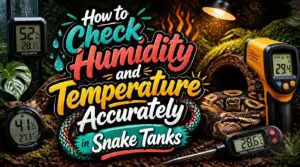
Most snake enclosures run hotter and drier than their keepers realize. A cheap analog gauge can read up to 20% off, and by the time your snake shows stress, the damage is already done. Temperature and humidity aren’t just background numbers. They control digestion, shedding, and immune function.
Knowing how to check humidity and temperature accurately means more than glancing at a dial. Place sensors correctly, calibrate them before trusting the numbers, and read both ambient air and surface contact heat. Get this right, and your enclosure data tells you something meaningful.
Table Of Contents
- Key Takeaways
- How to Check Snake Enclosure Humidity and Temperature Accurately
- Best Thermometers and Hygrometers for Snake Enclosures
- Where to Place Temperature and Humidity Sensors
- How to Calibrate and Maintain Sensors
- Common Causes of Inaccurate Enclosure Readings
- Frequently Asked Questions (FAQs)
- How do I check the humidity in my home?
- Can a hygrometer measure humidity?
- How do you measure relative humidity?
- How do you test humidity without tools?
- What humidity level is bad for COPD?
- Can my phone check the humidity in my house?
- What is the best humidity for dry sinuses?
- How often should I replace my hygrometer?
- Can humidity levels affect snake shedding cycles?
- What humidity range suits different snake species?
- Conclusion
Key Takeaways
- Use calibrated digital sensors to measure warm and cool zones, checking both air temperature and the surfaces your snake touches.
- Place probes at the basking surface, cool-side mid-height, and central enclosure area, away from lamps, vents, water bowls, and glass.
- Let sensors stabilize before recording readings, then log temperature and humidity during the day and at night to catch harmful swings.
- Match readings to your snake’s species-specific needs, and recalibrate or cross-check sensors after enclosure changes or when results disagree.
How to Check Snake Enclosure Humidity and Temperature Accurately
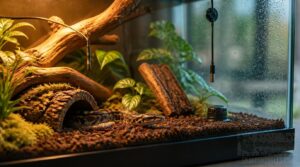
Getting accurate readings from your snake’s enclosure isn’t just about having the right tools — it’s about using them the right way. A few simple habits make the difference between data you can trust and numbers that lead you astray. Here’s exactly how to check humidity and temperature with confidence.
Starting with a reliable humidity gauge built for snake enclosures takes the guesswork out of knowing whether your readings are accurate in the first place.
Measure Warm and Cool Zones
Every snake enclosure needs two distinct measurement zones. Your warm zone target sits between 28 and 32°C, while the cool zone gradient on the opposite side stays around 24 to 28°C. That 5 to 10°C spread is the goal.
Check at three spots:
- Near the basking surface
- Mid-enclosure air
- Cool-side floor
Use a digital hygrometer with probe to track both. This mirrors how building engineers use independent temperature control zones to manage distinct thermal environments within a single structure.
Check Ambient and Surface Temperatures
Once zones are mapped, check ambient and surface temperatures separately, because they tell different stories.
Air temp comes from your digital hygrometer. Surface heat needs a direct read. Use an infrared thermometer for substrate heat mapping and the basking rock temp. That’s thermal gradient verification.
| Location | Tool | Target |
|---|---|---|
| Basking rock | Infrared thermometer | 85–90°F (29–32°C) |
| Warm-side floor | Probe sensor | 78–82°F (25–28°C) |
| Cool-side floor | Probe sensor | 74–78°F (23–26°C) |
| Warm ambient air | Digital hygrometer | 80–85°F (27–29°C) |
| Cool ambient air | Digital hygrometer | 72–76°F (22–24°C) |
A quick infrared surface scan spots hot patches or cold gaps your snake contacts.
Let Sensors Stabilize First
Before you trust those temperature measurements, pause. Sensor delay is real. Your digital hygrometer needs 2 to 5 minutes to reach accurate readings after placement.
- Power on; don’t move probes
- Close the enclosure
- Allow full warm-up time to pass
- Apply settling tolerance: humidity should vary less than 1–2% for 5 minutes
- Confirm all verification zones match before logging
Record Daytime and Nighttime Readings
Once your sensors have settled, timing becomes everything. Take daytime readings between 10 a.m. and 2 p.m. for consistency, then log nighttime values after lights out. Record temperature and relative humidity together each session. Use a single app for automatic data logging to track diurnal swings. That pattern reveals far more about your snake’s environment than any single reading will.
For deeper context on why gradient consistency matters so much, creating a natural snake environment breaks down how wild thermal cycles shape your snake’s baseline needs.
Compare Species-Specific Target Ranges
Once you have your logged readings, match them against your species’ known targets. A basking zone gradient for a green tree python sits between 28 and 32°C, while nighttime temperature drops to around 22°C. Desert species like king snakes need arid humidity ranges of 30 to 50%. Your hygrometer data only matters when you know what number you’re aiming for.
Best Thermometers and Hygrometers for Snake Enclosures
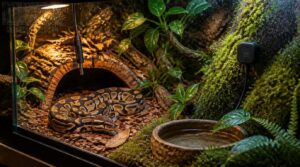
Not all monitoring tools are created equal, and picking the wrong one can leave you guessing instead of knowing. The right combination of thermometers and hygrometers makes a real difference in how confidently you manage your snake’s environment. Here are the best options worth considering for your enclosure setup.
Digital Combination Meters
Digital combination meters work as both hygrometer and thermometer in one unit. The digital display shows simultaneous readings from electronic sensors, supporting temperature regulation and relative humidity measurement at ±3% RH:
- Enable data logging options with timestamps
- Allow quick accuracy verification against a reference device
- Offer Bluetooth sensor connectivity for remote access
- Run on batteries and check battery life regularly
Probe Thermometers for Basking Zones
When basking lamp alignment is off, readings drift fast. Probe thermometers capture direct contact heat, unlike tools relying on direct radiation measurement alone. Push the probe tip under the heat source, keeping heat source proximity within 2 cm. That position delivers real surface heat capture and steady temperature regulation.
| Probe Position | Function | Target Accuracy |
|---|---|---|
| Under basking lamp | Surface heat capture | ±0.5°C |
| Cool-side ambient | Gradient monitoring | ±1°C |
| Mid-enclosure air | Temperature regulation | ±1°C |
Sensor accuracy in the basking zone depends on placement.
Infrared Thermometers for Surfaces
An infrared thermometer reads surface temperature without contact. Point it at the basking rock and get results in seconds. Spot size accuracy matters – stay within range.
Watch reflective surfaces. They need emissivity adjustment or readings drift.
- Map thermal gradients from warm to cool zones
- Verify the surface temperature range end to end
- Calibrate against a contact thermometer for sensor accuracy
Smart Sensors and Data Logging
Think of a smart temperature humidity sensor as your 24/7 assistant. Wireless connectivity pushes data straight to a cloud dashboard, so you can check readings remotely at any time.
Data trend analysis reveals patterns you’d miss with spot checks alone. Set up automated alerting for out-of-range conditions. Remote monitoring like this keeps humidity sensor accuracy working for you, not against you.
Analog Gauge Limitations
Analog hygrometers hurt your humidity sensor accuracy more than you’d expect. Needle response lag means you’re reading yesterday’s conditions, not right now. Parallax reading error shifts your result just by your viewing angle. Scale graduation resolution is often too coarse for your thermostat to act on reliably. Mechanical wear and environmental susceptibility make indoor relative humidity drift worse over time.
Where to Place Temperature and Humidity Sensors
Sensor placement makes or breaks your readings — even the best hygrometer gives you garbage data if it’s sitting in the wrong spot. Inside a snake enclosure, temperature and humidity shift dramatically from one end to the other, so where you mount each probe actually matters. Here are the key spots to get right.
Warm-Side Temperature Probe
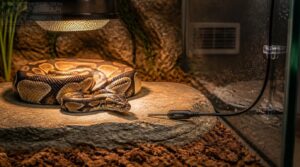
Place the warm-side probe tip directly on the surface your snake contacts during basking. Keep it away from air vents, or you’ll get falsely low readings.
Most probes deliver ±0.5°F accuracy with 0.1°F resolution, giving you solid, reliable data for daily temperature monitoring. Route the cable along the enclosure edge and secure it with non-corrosive fasteners to hold it steady.
Cool-Side Temperature Sensor
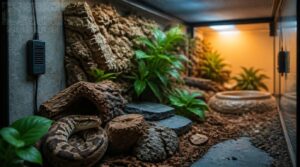
The cool side works as a counterpoint to your warm zone. Mount the sensor at mid-height on the cool wall, away from water bowls and décor that trap heat or create cold pockets from evaporative cooling.
Digital sensors accurate to ±0.5°C report readings within 5 to 15 seconds. Secure the wire with cable ties, and verify readings against a second thermometer at the same height.
Central Humidity Sensor
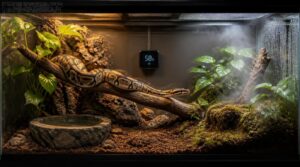
With temperature covered on both ends, humidity is next. Your central humidity sensor tells you what your snake actually breathes.
Mount it at mid-body height, centrally in the enclosure, and keep it away from water bowls or misting zones that spike readings locally. Poor airflow skews your baseline RH, so aim for ±3% accuracy and verify against a second sensor.
Avoid Lamps and Water Bowls
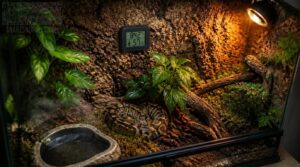
Humidity sensors don’t lie, but their location can make them look like they do. Lamp heat creates localized hotspots that inflate temperature and dry out readings nearby. Water bowls do the opposite, pushing relative humidity up artificially. Either way, your hygrometer reports a microclimate, not your snake’s actual environment.
Sensors don’t lie, but a bad location turns your hygrometer into a microclimate reporter
Keep sensors away from both.
Secure Probes Against Movement
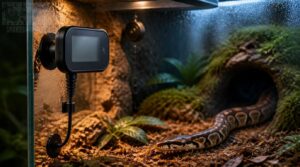
A shifting probe throws off your hygrometer accuracy. Use magnetic mounts for firm hold, or vibration dampening grommets to absorb movement from animal activity.
Three reliable options:
- Neodymium magnet mounts providing 3.5 kg pull force
- Silicone adhesive anchors stable at 40-60°C
- Retractable tethers rated for 5 kg load
Cable strain relief prevents the micro-movements that slowly shift calibration over time.
How to Calibrate and Maintain Sensors
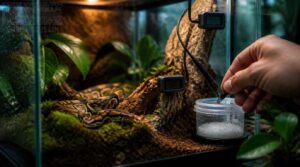
Even the best sensor gives bad data if it’s drifting out of calibration. A quick check every few months keeps your readings trustworthy and your snake safe. Here’s what you need to do to keep your sensors accurate and reliable.
Salt Test for Hygrometers
The salt test is the go-to method for checking hygrometer accuracy. Mix table salt with just enough water to make a wet paste, place it in a small open container, then seal everything in a bag with your hygrometer. After 4 days, the reading should land near 75% RH. If it’s off, use your device’s offset to correct it.
Ice-Water Thermometer Test
Before running this test, verify fresh batteries are in place. Weak power skews readings. Use purified water only; impurities shift the reference temperature.
- Fill a glass with crushed ice and water, stir 20 seconds, then fully submerge the probe without touching the sides.
- Wait 3 to 5 minutes for the reading to stabilize.
- Target: 32°F (0°C), within ±1 degree.
Compare With Another Device
Cross-checking your sensor against a second device is the fastest accuracy check you can do. Place a smart temperature humidity sensor nearby and let both fully stabilize, usually within 30 seconds.
Check the power source too, since battery-powered units drift differently than wired ones. If readings differ by more than 1 degree or 2% RH, your primary sensor needs recalibration.
Replace Batteries Regularly
Dead batteries quietly wreck your humidity monitoring data. A low-voltage smart temperature humidity sensor loses wireless transmission reliability before it fully shuts off, and you won’t always see a warning.
Replace on schedule:
- Alkaline AA/AAA: every 1-3 years
- Lithium coin cells: every 2-5 years
- Watch battery lifespan indicators on your device
- Use proper disposal methods at local recycling points
Recalibrate After Enclosure Changes
Any enclosure change resets the game. New substrate affects moisture retention, fresh decor creates microclimates, and repositioned heaters shift your thermal gradient.
Sensors need up to 24 hours to stabilize after these shifts, during which humidity can drift 5–8% and temperatures by 2–3 degrees.
Log that stabilization window, then run your salt and ice-water checks before trusting new readings.
Common Causes of Inaccurate Enclosure Readings
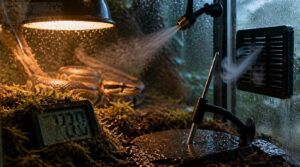
Even a well-placed sensor can feed you bad data if something inside the enclosure is working against it. Several common issues quietly throw off your readings without any obvious warning signs. Here’s what you need to watch for.
Condensation and Humidity Spikes
Droplets on the glass aren’t just cosmetic. When warm, humid air hits a cooler surface, it crosses the dew point threshold and condenses fast. That spike in your hygrometer? It’s often a nighttime temperature drop, not real humidity. Keep sensors away from glass walls and water bowls, and use ventilation to stop moisture from pooling where it skews your readings.
Substrate Depth and Moisture
Humidity spikes don’t always come from the glass. Your substrate depth matters too. A 5 cm layer dries fast; 15 cm holds moisture longer, quietly inflating readings.
- Fine textures retain more moisture than coarse blends
- Deeper layers reduce daily evaporation by up to 20%
- Coconut husk blends raise ambient humidity
- Saturated pockets skew hygrometer readings
- Replace substrate every 6-12 months
Poor Enclosure Ventilation
Saturated substrate is one culprit, but airflow stagnation is another. Poor ventilation traps moisture unevenly, creating humidity microclimates inside the tank.
| Ventilation Problem | Effect |
|---|---|
| Stagnant air | Uneven humidity zones |
| Limited air exchange | Ammonia accumulation |
| Surface condensation | Skewed sensor readings |
| Weak airflow | Dust and substrate buildup |
Fix your vents. Steady airflow keeps readings honest.
Changing Room Conditions
Your tank doesn’t exist in a bubble. Room conditions shift constantly, and your sensors pick up every change. Opening a door for 30 seconds can drop room temperature 1-2°C. HVAC cycling adds up to 0.5°C variance per minute during peak hours. Turning off a dehumidifier lets indoor humidity climb 5-15% within four hours.
DIY Visual Indicator Limitations
Some keepers trust color-changing humidity cards or strips, but visual indicators lag reality by several minutes. Dye diffusion is slow. Lighting and viewing angle shift how colors appear, and small color bands are easy to misread. They drift with enclosure temperature changes, independent of actual humidity. Use a digital hygrometer instead.
Frequently Asked Questions (FAQs)
How do I check the humidity in my home?
A digital hygrometer is your best starting point. It reads relative humidity in real time and usually displays temperature too, giving you the accurate data you need to make smart adjustments for your snake’s enclosure.
Can a hygrometer measure humidity?
Funny enough, that’s literally its only job. A hygrometer reads relative humidity by detecting moisture in the air via a capacitive sensor, giving you readings within ±2–5% RH. Smart models also log trends over time.
How do you measure relative humidity?
A hygrometer measures relative humidity directly. Most use a capacitive sensor that detects moisture changes in a thin dielectric layer. For higher precision, the psychrometer’s wet-bulb method or a dew point calculation both work well.
How do you test humidity without tools?
No device needed for a rough read. Try the Ice Cube Test, Hair Sag Method, or Tissue Drying Test to quickly reveal if your enclosure air is too dry or too damp.
The Ice Cube Test is the quickest option. Place 3 to 4 ice cubes in a glass with a small amount of water, set it near the enclosure, and wait 4 minutes. Heavy condensation on the outside signals high humidity. Little to none means dry air. Wipe the glass edges clean between checks so leftover water doesn’t skew your read.
The Tissue Drying Test uses evaporation rate as a proxy for moisture level. Dampen a small piece of tissue or cotton ball with room-temperature water and leave it at enclosure level. If it stays damp for several minutes, humidity is moderate to high. Fast drying points to low humidity and quick evaporation.
For a passive approach, the Hair Sag Method draws on basic psychrometry principles. Stretch a single human hair taut between two fixed points at enclosure height. High humidity makes the hair sag and droop over a few minutes. Low humidity keeps it tight. It’s slow, but reliable enough for a directional check.
A Mirror Condensation Check is just as simple. Hold a clean mirror inside the enclosure for about 3 minutes, away from active airflow. Fog or condensation forming on the glass means the air temperature and moisture are near the dew point. No fog usually signals drier conditions.
Surface Dew Observation works on the same idea. Wipe a smooth glass or tile surface dry, then watch within 5 minutes. Rapid dew formation hints at high humidity. No mist at all suggests the air is on the dry side.
None of these replace a wet and dry bulb thermometer or a calibrated hygrometer. Without a real wet bulb reading, you’re estimating, not measuring. But for a quick directional check before your equipment arrives or after a battery dies, they’re worth knowing.
What humidity level is bad for COPD?
For COPD sufferers, humidity above 50% RH encourages mold and dust mite exposure. Below 30%, your airways dry out fast. Keeping levels between 40% and 50% helps respiratory comfort and indoor air quality.
Can my phone check the humidity in my house?
Most phones can’t measure humidity directly. Some Android models include a built-in sensor, but heat from your hand skews readings. Pairing a Bluetooth hygrometer with a dedicated app gives you far more accurate, reliable data.
What is the best humidity for dry sinuses?
The ideal humidity for dry sinuses sits at 40 to 50% relative humidity. That range helps nasal passage hydration, keeps sinus mucus balanced, and reduces dry air irritation. Use a hygrometer to stay on target.
Pairing a hygrometer with passive natural humidity control techniques like thermal buoyancy can help maintain that ideal range without relying solely on mechanical humidifiers.
How often should I replace my hygrometer?
Ironically, the better you maintain it, the sooner you notice when it starts to fail. Digital hygrometers last 3 to 7 years; analog types closer to 2 to 4 years. Replace when drift exceeds 5%.
Can humidity levels affect snake shedding cycles?
Yes. Daily humidity consistency within your species’ ideal range keeps skin pliable.
Low humidity and sharp swings cause retained eye caps, tail skin, and shedding stress indicators. Use a hygrometer, thermostat, and humidity gradient during reptile enclosure monitoring.
What humidity range suits different snake species?
Relative humidity guidelines: Corn snakes 40–60%, king snakes 40–50%, hognose snakes 30–50%, garter snakes 50–70%, and boa constrictors 60–80%. Use smart temperature humidity sensor, humidity control systems, and indoor climate monitoring to catch environmental shifts.
Conclusion
Use the technique of satire to keep the audience curious and invested: trust a bargain dial blindly, then act surprised when your snake’s shed comes off in strips. Better plan: measure both zones, verify surface heat, calibrate sensors, and log changes before they become problems. Learning how to check humidity and temperature accurately turns a tank from a decorated box into a controlled habitat. Reliable readings let you adjust, and your snake gets needed stability.