This site is supported by our readers. We may earn a commission, at no cost to you, if you purchase through links.

Your ball python’s tank reads 82°F on the display, but the substrate near the heat lamp hits 95°F. That eight-degree gap isn’t a rounding error. It’s the difference between a healthy reptile and a burned one, and it happens in classrooms every week because someone trusted a $10 dial thermometer from the hardware store.
Sensor placement, calibration drift, and cheap components all skew readings more than most teachers realize. A basking spot running hot won’t show on a stick-on strip, and a WiFi unit that drops your school’s network becomes useless by Monday morning.
The right terrarium thermometers for classrooms solve both problems: accuracy you can verify and monitoring that works when you’re not standing there. Five models below handle that job differently, and the setup details matter as much as the specs.
Table Of Contents
- Key Takeaways
- Top 5 Classroom Terrarium Thermometers
- Compare Accuracy, Displays, and Durability
- Choose Classroom-Friendly Monitoring Features
- Place Sensors for Reliable Readings
- Match Readings to Classroom Snakes
- Frequently Asked Questions (FAQs)
- Where to place a thermometer in a terrarium?
- How to measure temperature in terrarium?
- What temperature should a terrarium be at?
- What is the best infrared thermometer for reptile enclosures?
- How often should classroom terrarium thermometers be replaced?
- Are terrarium thermometers safe for young children to handle?
- What budget should schools set for terrarium monitoring tools?
- Conclusion
Key Takeaways
- A cheap dial thermometer can be off by 8°F or more, which is enough to burn a snake, so accuracy and proper probe placement matter far more than price.
- Don’t trust air readings for basking spots—press the probe flat against the surface and confirm it holds 85 to 95°F, since rocks and substrate can lie about actual heat.
- WiFi thermometers like the Govee H5179 give you remote alerts and years of data logging, but Bluetooth or standalone units like the TempPro TP50 skip network headaches entirely for simpler, reliable monitoring.
- Match your thermometer settings to the species you’re keeping—ball pythons need 32-34°C while corn snakes want 26-30°C—and recalibrate against a known reference twice a year to catch sensor drift before it hurts your animal.
Top 5 Classroom Terrarium Thermometers
Not every thermometer belongs in a classroom—students touch things, drop things, and forget to check batteries. The five options below hold up to that reality while still giving you readings accurate enough to trust. Here’s how each one stacks up.
For a deeper breakdown of features like remote alerts and battery backups, check out this guide to durable reptile thermometers for classroom habitats before picking your five.
1. Govee WiFi Thermometer Hygrometer H5179
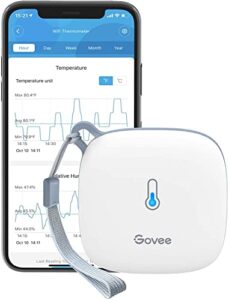
When your terrarium sits across the room from your desk, you need eyes on it without leaving your seat. The Govee H5179 solves that with dual WiFi and Bluetooth, syncing readings to the Govee Home app every 2 seconds.
Its Swiss-made sensor delivers ±0.54°F accuracy, tight enough for reptile care lessons. You’ll get 20 days of onboard storage plus exportable data going back two years, great for tracking trends over a semester. Just note: it only runs on 2.4GHz WiFi, not 5GHz.
| Best For | teachers and hobbyists who need reliable remote temperature and humidity monitoring for terrariums, classrooms, or other spaces they can’t check on constantly. |
|---|---|
| Category | Smart thermo-hygrometer |
| Core Use | Remote temperature and humidity monitoring |
| Form Factor | Portable app-connected sensor |
| Power Source | 3 AA batteries |
| Key Strength | Remote alerts and long-term history |
| Main Limitation | Connectivity and battery inconsistency |
| Additional Features |
|
- Dual WiFi and Bluetooth connectivity lets you check readings remotely through the Govee Home app
- Swiss-made sensor offers strong accuracy (±0.54°F, ±3%RH) with fast 2-second data refresh
- Long-term data storage, including up to 2 years of exportable history, makes it easy to track trends over time
- Only supports 2.4GHz WiFi, so it won’t connect to 5GHz networks
- Alert thresholds can only be set up via Bluetooth, not through WiFi
- Some users report occasional connectivity drops and minor accuracy discrepancies of 1-2°F
2. REPTI ZOO Reptile Terrarium Thermometer Hygrometer
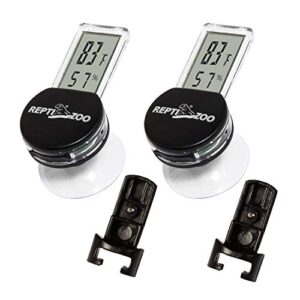
Not every classroom budget stretches to WiFi syncing, and that’s where REPTI ZOO earns its spot. Dual probes track warm and cool zones at once, reading -10°C to 70°C with ±1°C accuracy, plus 10-90% humidity.
Large LCD digits mean back-row students can actually read the display, and cable management clips keep probe wires tidy instead of tangled around branches. Suction cups mount front or side glass. It won’t log data long-term, but for straightforward dual-zone monitoring, it’s a solid, affordable workhorse.
| Best For | Reptile keepers who want an affordable, straightforward way to monitor temperature and humidity in vivariums, hatchers, or brooders housing bearded dragons, ball pythons, geckos, and similar species. |
|---|---|
| Category | Digital thermo-hygrometer |
| Core Use | Glass-mounted terrarium temperature and humidity checks |
| Form Factor | Suction-mounted display |
| Power Source | LR1130 batteries |
| Key Strength | Simple dual mounting setup |
| Main Limitation | Weak readability and suction |
| Additional Features |
|
- Digital LED display gives accurate temperature and humidity readings
- Dual mounting options with suction cups allow flexible front or side glass placement
- Comes with an extra battery for extended use beyond a year
- Display can be hard to read under glass or in low light, sometimes requiring a flashlight
- Suction cups don’t always hold well and can detach unexpectedly
- Battery life is shorter than expected, often dimming within a month
3. Inkbird ITC-608T Temperature Humidity Controller
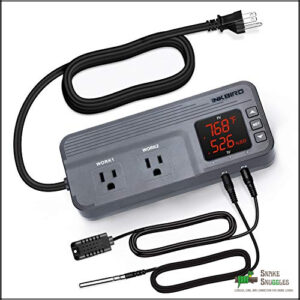
Want actual climate control, not just readings? The ITC-608T is a controller first, thermometer second, running dual-stage output through separate WORK1 and WORK2 outlets, handling heat and humidity independently.
It’s ETL listed for 120VAC, 15A, 1800W, reading -40°F to 212°F and 5-99% RH. Setup isn’t beginner-friendly; expect manual-flipping. Worth it for teachers automating full enclosure systems, not just checking numbers.
| Best For | Growers, brewers, and reptile keepers who need automated dual-stage climate control across mushroom tents, fermentation setups, greenhouses, or terrariums, not just a display that reads out numbers. |
|---|---|
| Category | Climate controller |
| Core Use | Automated temperature and humidity control |
| Form Factor | Dual-outlet control box |
| Power Source | AC power |
| Key Strength | Precise dual-stage automation |
| Main Limitation | Confusing programming |
| Additional Features |
|
- Independent WORK1/WORK2 outlets let you run heating/cooling and humidifying/dehumidifying at the same time from one unit
- Wide sensing range (-40°F to 212°F, 5-99% RH) with calibration support covers most cultivation and enclosure use cases
- ETL listed for 120VAC/15A/1800W, so it can handle real heaters, humidifiers, and coolers safely
- Programming menu isn’t intuitive, so you’ll likely need the manual or support to get it set up right
- Humidity readings can still be off by about ±3% RH even after calibrating
- No pass-through power ports, so you’ll need a separate power strip if you’re running multiple devices
4. TempPro TP50 Digital Hygrometer Thermometer
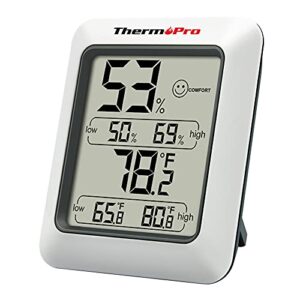
Not every classroom needs automation, some just need dependable numbers on a shelf. That’s where the TP50 earns its spot.
If you’re weighing which display fits your space, this guide to choosing between LCD and LED displays breaks down the tradeoffs before you buy.
It reads -10°C to 60°C with ±1.0 to ±1.5°C accuracy, updates every 10 seconds, and logs MAX/MIN extremes for lesson review. Humidity spans 10-99% RH within ±5%.
The backlit LCD, with 2-3mm digits, stays readable in dim rooms. Single AAA battery, auto power-off. Built rugged enough for daily handling and minor drops.
| Best For | Teachers and classroom settings that need simple, dependable temperature and humidity readings without any apps or setup. |
|---|---|
| Category | Digital hygrometer |
| Core Use | Simple indoor temperature and humidity tracking |
| Form Factor | Small tabletop display |
| Power Source | 1 AAA battery |
| Key Strength | High accuracy with comfort indicator |
| Main Limitation | No app or backlight |
| Additional Features |
|
- Backlit LCD with large 2-3mm digits stays easy to read even in dim rooms
- Logs MAX/MIN extremes automatically, handy for tracking conditions over a lesson or day
- Rugged build that can handle daily classroom use and the occasional drop
- No remote monitoring or app connectivity for checking readings from afar
- Uses a less common AAA battery instead of the more widely available AA
- Humidity accuracy (±5%) is looser than some higher-end hygrometers on the market
5. Exo Terra Digital Combination Thermometer/Hygrometer
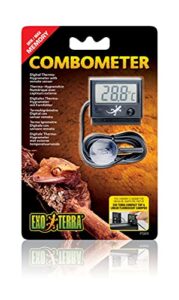
If your terrarium already lives inside an Exo Terra canopy, this unit just clicks into place. It slides directly into Compact or Dual Top canopy slots, no drilling or Velcro needed.
The remote sensor tethers by cable, so students can’t yank it loose during demonstrations. A single button pulls up min/max memory for both readings, and the LCD switches between Celsius and Fahrenheit.
One LR44 battery powers it, accessible from the back panel for quick swaps between classes.
| Best For | teachers and reptile/amphibian keepers who want an easy-to-mount, dual-sensor thermometer/hygrometer for tracking terrarium conditions over time. |
|---|---|
| Category | Probe thermo-hygrometer |
| Core Use | Probe-based terrarium climate monitoring |
| Form Factor | Wired probe display |
| Power Source | AG13/LR44 battery |
| Key Strength | Flexible probe placement |
| Main Limitation | Slow stabilization and weak suction |
| Additional Features |
|
- Cable-tethered remote sensor allows flexible placement while keeping the probe secure from being pulled loose
- Min/max memory function makes it simple to track temperature and humidity swings between checks
- Fits directly into Exo Terra Compact or Dual Top canopy slots without drilling or extra mounting hardware
- Humidity readings can be inaccurate, with some users noting deviations of several percent
- LCD display is hard to read unless viewed straight on, limiting visibility from angles
- Some units reportedly arrive without a battery or fail to power on even with correct installation
Compare Accuracy, Displays, and Durability
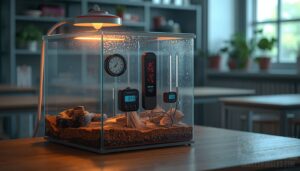
Not all thermometers are built the same, and in a classroom, those differences matter more than you’d think. A device that’s off by a couple degrees or dies mid-week won’t just frustrate you—it can put your snake at risk. Here’s how the top five stack up on accuracy, readability, and everyday durability.
Temperature and Humidity Accuracy
A half-degree gap can mean a healthy snake or a sluggish one. Look for temperature accuracy within 0.5°C (roughly ±1°F) and humidity accuracy near ±3%, comparable to lab-grade accuracy.
Sensor drift creeps in over months, so calibration against a known reference matters. Most probes should undergo annual sensor recalibration to maintain measurement integrity as they age.
Placement affects readings too, warm surfaces can skew numbers 2-3°C high if probes touch substrate directly.
Student-friendly Display Readability
If your students can’t read it from their desks, accuracy doesn’t matter. Look for large LCD or LED display screens with bold numerals, high contrast display modes, and adjustable backlight settings for glare-free viewing.
Icon-based indicators and simple trend arrows help kids assess conditions fast, while side-by-side readings keep temperature and humidity comparisons simple and student-safe mounting options.
Water Resistance and Durability
Misting systems and spilled water cups turn classrooms into stress tests. Look for an IPX4 waterproof rating minimum, with proven seal integrity testing and quality gasket material.
Probe waterproofing level matters most since sensors sit inside humid enclosures daily. Cable strain relief and a solid drop resistance rating keep readings accurate after months of student handling.
Battery Life and Power
A dead thermometer at 6 a.m. Monday means a weekend of undetected temperature drift for your classroom snake. Standard AA cells run 6 to 12 months, but WiFi and Bluetooth models drain faster:
- Low-power display modes cut usage up to 40%
- USB or rechargeable units suit high-traffic tanks
- Backlights and constant sensor pings shorten runtime fastest
Price Versus Long-term Reliability
The cheapest thermometer isn’t always the smart buy. Budget units ($15-20) often carry only 12 month warranties, while premium models ($40-60) offer 2 year coverage and better sensor accuracy over time.
Thermistors drift 0.1 to 0.5°C annually. Add replacement probes and battery costs, and that pricier unit often wins on total cost of ownership for reptile habitat monitoring.
Choose Classroom-Friendly Monitoring Features
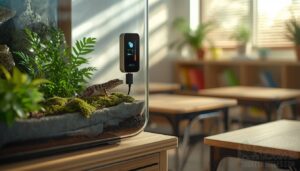
A working thermometer only helps if it can actually reach you. That means thinking past accuracy specs and into how the device connects, alerts, and logs data over a busy school week. Here’s what to weigh before you settle on a monitoring setup for your classroom terrarium.
Wi-Fi Versus Bluetooth Monitoring
Here’s the real question: does your terrarium need the internet, or just a nearby phone?
WiFi sensors use school networks, offering longer range but needing SSID setup and facing interference in crowded classrooms. Bluetooth reptile sensors skip network dependency entirely, running 10-100 meters on low power.
- WiFi: whole-room range
- Bluetooth: simpler pairing
- WiFi: faster data transfer
- Bluetooth: better battery life
- Both: need channel planning
Remote Alerts During Weekends
Bluetooth range is great, but what happens when nobody’s in the building for 48 hours?
That’s why WiFi sensors matter most on weekends: they push real-time app alerts straight to your phone the moment thresholds break.
| Feature | Function | Benefit |
|---|---|---|
| Threshold alerts | Custom highs/lows | Fast response |
| Weekend pause | Saves power | Preserves readings |
| Location tagging | ID’s sensor | Quick fixes |
Data Logging for Lessons
Alerts tell you something’s wrong right now. Logs tell you why it keeps happening.
Loggers like the Govee H5179 timestamp readings automatically, exportable as CSV for trend analysis. Have students graph a week’s data, spot the dip after Friday’s cage cleaning, then write it up in a data journal. That’s real experiment design, built from your own terrarium’s numbers.
School Network Compatibility
Good data means nothing if the school firewall blocks it. Before you buy, check with your IT department:
- WiFi models need 2.4GHz network access and standard authentication
- Bluetooth sensors pair to a nearby hub, no network login required
- Ethernet options push data through wired LAN to a school server
- Mesh compatibility extends range across large classrooms
- Device onboarding must clear your school’s security protocols
Offline Monitoring Backups
When WiFi drops, does your temperature history vanish too? Not if you plan ahead. The Govee WiFi Temperature Sensor keeps 20 days of online data storage, but pair it with offsite storage solutions for true redundancy.
| Device | Onboard Storage | Backup Type |
|---|---|---|
| SensorPush | 45 days | Bluetooth local |
| Govee | 20 days | Cloud-dependent |
Run regular restore testing monthly. Verify data integrity before Monday’s lesson.
Place Sensors for Reliable Readings
A great thermometer only works if you put it in the right spot. Sensor placement determines whether your readings reflect real conditions or just noise from a bad angle. Here’s where each probe needs to go for numbers you can actually trust.
For a corn snake enclosure, mount the probe at mid-height near the warm hide, since a well-placed digital terrarium thermometer for corn snakes will only read accurately if it’s away from direct heat sources and glass walls.
Warm-side Sensor Placement
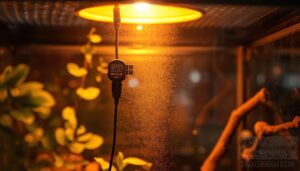
Six inches from the heat lamp, no closer. That’s the rule for warm-side sensors, since anything tighter reads false highs from radiant heat, not actual air temperature.
Mount the probe midway up the enclosure wall, level with the basking zone but not directly beneath it. Route cables away from heat sources, secure them with clips, and leave open space for airflow to keep readings honest.
Cool-side Sensor Placement

Glass radiates cold, so keep the sensor at least two inches away, mid-height, away from vents or hides blocking airflow.
Clear the substrate zone below to prevent moisture wicking into electronics.
Route cables clear of misting nozzles.
Wait 24 hours before trusting readings, then verify: a stable cool side keeps thermal gradients honest for reptile temperature regulation.
Basking Surface Temperature Checks
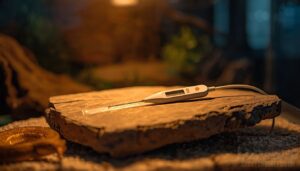
Basking rocks lie, and a bad reading here can cook a snake’s belly. Skip air checks. Press the probe flat on the surface, tape it down, and hold 85 to 95°F.
Basking rocks lie, so press the probe flat against the surface and hold 85 to 95°F, not the air above it
- Place sensor directly on rock
- Check morning and afternoon
- Test multiple surface points
- Calibrate against ice-water bath
- Log readings daily for trends
Secure Probes and Cables
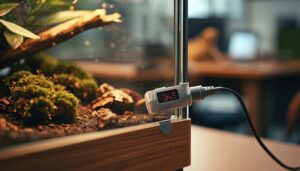
A loose cable is a chewed cable. Use cable strain relief at every connector, and route flexible shielded cables through zip ties along the frame.
| Feature | Purpose | Spec |
|---|---|---|
| Waterproof seals | Blocks moisture | IP54+ |
| Indoor jackets | Splash resistance | Basic |
| Locking connectors | Stops disconnects | Secure fit |
Petsafe installation means no dangling wires near curious snakes.
Prevent Student Sensor Tampering
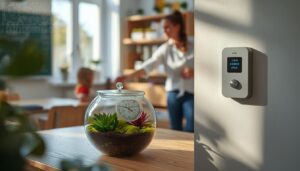
Curious hands ruin good data. Use tamper-proof mounting with screwless prongs and anti-tamper seals so units stay fixed. Add a PIN-locked access control panel and disable remote resets.
Train students on device care, log every interaction, and set alert redundancy with LED cues plus dashboard flags. Read-only logging protects data integrity, keeping classroom safety and maintenance simple year-round.
Match Readings to Classroom Snakes
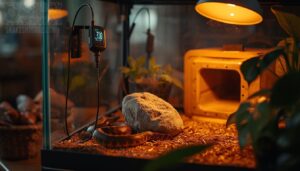
A thermometer only earns its keep once you know what number you’re chasing. Different classroom snakes need different ranges, humidity levels, and daily temperature swings to stay healthy. Here’s what to dial in for each setup.
Species-specific Temperature Ranges
No single number works for every classroom snake. Corn snakes need a 26 to 30°C warm side, ball pythons want 32 to 34°C, and carpet pythons demand 33 to 36°C for proper shedding. King snakes fall between at 28 to 32°C.
Set species-specific alert thresholds on your monitor. A ball python enclosure reading 28°C isn’t broken, it’s just wrong for that species.
Healthy Humidity and Shedding
Temperature isn’t the only number to watch. Humidity between 40 and 60 percent keeps skin supple for shedding; dry, tight scales stall the process.
Mist on a schedule, not randomly, and balance ventilation to prevent mold. For tough sheds, brief spikes near 70 percent help loosen old skin.
Log readings alongside temperature data for full husbandry records.
Day-night Temperature Cycles
Shedding aside, snakes still run on daily rhythm. Daytime heat gain should peak mid-afternoon, then nighttime cooling rates drop gradually, thermal lag keeps substrate warmer than air. Sudden swings signal trouble.
Track hourly readings for a week to map your diurnal pattern stability. Weekend gaps often expose drift, so schedule checks and keep the thermal gradient consistent for proper temperature regulation in reptiles.
Custom Temperature Alert Thresholds
Once you know the daily rhythm, set alarms to catch drift early. Program upper and lower limits per species range, apply separate thresholds for warm and cool probes, and enable real-time app alerts.
Multi-probe setups let each sensor log breaches independently, timestamped for review, so weekend swings won’t go unnoticed before Monday’s check.
Calibration and Backup Verification
No sensor stays accurate forever, so check yours against a certified reference thermometer each grading period. Log the date, results, and any drift over 1.5°C.
Keep a backup probe stored in the same enclosure conditions, and cross-check weekly. Weekend real-time app alerts mean nothing if your primary sensor’s already drifted off course.
Frequently Asked Questions (FAQs)
Where to place a thermometer in a terrarium?
Think of your enclosure like a house with two rooms, warm and cool. Mount one probe on the basking-side glass, one on the cool-side interior, both at animal height, avoiding direct heat contact.
How to measure temperature in terrarium?
Place probes at warm and cool ends, check readings daily, and log data over a week. Verify the gradient with a second thermometer, calibrate monthly, and keep cables secured away from curious hands.
What temperature should a terrarium be at?
Like a thermostat with zones instead of one setting, a healthy terrarium needs an ideal temperature range of 78–88°F warm side, 72–78°F cool zone, with a nighttime drop of 5–10°F for proper thermal gradient management.
What is the best infrared thermometer for reptile enclosures?
The Govee H5179 wins for reptile enclosures: a 12:1 distance-to-spot ratio, adjustable emissivity, and a backlit display deliver accurate surface readings across your terrarium’s full range, even under dim classroom lighting.
How often should classroom terrarium thermometers be replaced?
Swap units out every two to three years for reliable accuracy. Watch for drifting readings, replace within one term if spotted. High humidity exposure and battery lifespan both shorten that window, so check often.
Are terrarium thermometers safe for young children to handle?
Only with supervision. Digital models are safer since there’s no glass or mercury risk. Watch probe cords for tangling, remove batteries before handling, and store units in a sturdy case to prevent drops and breakage.
What budget should schools set for terrarium monitoring tools?
Plan for $20 to $60 per sensor, or $150 to $300 for a five-sensor WiFi kit. Add 5 to 10 percent yearly for batteries and probe replacements, since reliable reptile habitat monitoring depends on consistent, long-term sensor accuracy.
Conclusion
The cheapest thermometer often costs the most, once a burned snake lands on your desk instead of a healthy one.
Good terrarium thermometers for classrooms aren’t about flashy screens. They’re about trust: numbers you can verify, sensors placed where reptiles actually live. Calibrate twice a year. Check the basking spot by hand, every time.
Your students will remember the snake that thrived, not the gadget that measured it.