
This site is supported by our readers. We may earn a commission, at no cost to you, if you purchase through links.
Your bearded dragon basks under a heat lamp that feels warm to your hand, yet the sticker thermometer on the glass reads 78°F. The rock six inches below hits 115°F. That gap isn’t a malfunction — it’s the reason one thermometer can’t cover a terrarium’s needs.
Reptiles read their world through distinct zones: basking spots, cool retreats, ambient air. Each zone demands its own sensor, placed exactly right.
Learning how reptile thermometers work in terrariums starts with understanding what each tool measures, where it belongs, and how a few misplaced degrees turn a comfortable enclosure into a stressed reptile’s daily struggle.
Table Of Contents
- Key Takeaways
- Reptile Thermometers Measure Terrarium Microclimates
- Thermometers Convert Heat Into Readings
- Common Reptile Thermometer Types
- Digital Probe Sensors Explained
- Infrared Guns Measure Surfaces Only
- 2. in-1 Devices Track Climate
- Placement Creates Accurate Readings
- Gradients Guide Reptile Thermoregulation
- Readings Control Heat and Misting
- Calibration Keeps Measurements Reliable
- Frequently Asked Questions (FAQs)
- Conclusion
Key Takeaways
- One thermometer can’t cover a whole terrarium — you need separate sensors for the basking spot, cool side, and ambient air to actually see what your reptile is experiencing.
- The right tool depends on what you’re measuring: infrared guns give you instant surface readings, digital probes track air temperature continuously, and 2‑in‑1 units handle both temperature and humidity at once.
- Where you place each sensor matters as much as which one you choose — a probe too close to a heat lamp or mist nozzle will give you skewed numbers and false confidence.
- Readings only protect your reptile if you act on them — use them to adjust lamp height, fine‑tune thermostat settings, and tweak misting schedules so every zone stays within safe range.
Reptile Thermometers Measure Terrarium Microclimates
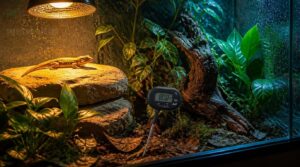
Reptile thermometers don’t just measure one spot — they track several distinct microclimates inside your terrarium at once. Getting a clear picture of your enclosure means monitoring the right zones in the right ways. Here’s what your thermometer setup should be covering:
If you’re managing several enclosures at once, this guide to choosing thermometers for multiple terrariums helps match the right tool to each tank.
Air Temperature Monitoring
Air temperature monitoring means tracking the air at your reptile’s breathing level — not just wherever it’s convenient. That’s the reading that truly reflects what your animal is experiencing.
A digital thermometer or ambient thermometer works best here, delivering accurate readings within about 0.5–1°C.
Set alert threshold settings so you’re notified instantly if conditions drift outside safe limits.
Professional weather stations often use a Stevenson screen shielding to protect thermometers from direct sun and precipitation.
Surface Temperature Checks
While air temperature tells you what your reptile breathes, surface temperature tells you what it feels — and that difference matters.
Infrared thermometers excel here, using noncontact temperature measurement to read emitted heat from basking rocks, heat mats, and substrate without touching anything. Point, pull the trigger, and you have an instant reading.
Basking Zone Readings
The basking spot is where your reptile does its most important work — digesting food, absorbing heat, and staying metabolically active. Placing a digital probe thermometer directly on the basking surface gives you the surface heat your animal actually experiences.
| Species | Basking Zone Target |
|---|---|
| Bearded Dragon | 95–110°F (35–43°C) |
| Leopard Gecko | 84–90°F (29–32°C) |
| Corn Snake | 86–90°F (30–32°C) |
| Tortoise | 91–99°F (33–37°C) |
Substrate thermal impact matters here — rock retains heat differently than wood, which affects your readings. Adjust ideal lamp height until your probe confirms the target range.
Cool Side Readings
While your basking probe captures peak heat, the cooler side of the tank tells an equally important story. Place another device on the opposite end to complete your temperature gradient picture.
For most species, that cool zone should sit between 75–82°F — a stable retreat for managing overnight cooling and preventing overheating after feeding.
Humidity Tracking
Beyond temperature, moistureshapes your reptile’s world just as powerfully.
A humidity gauge uses a capacitive sensor — detecting changes in moisture through its dielectric material — to deliver accurate humidity readings.
Position it away from direct misting to avoid false spikes, and align your misting schedule with sensor placement for reliable humidity regulation throughout the day.
Thermometers Convert Heat Into Readings
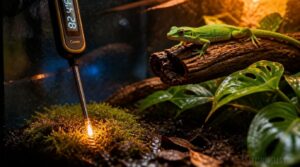
Every thermometer in your reptile’s enclosure follows the same basic idea: it picks up heat, converts that into a readable number, and helps you decide what to adjust. The method differs depending on the type you’re using, but the goal is always an accurate picture of what’s happening inside the tank. Here’s how each step in that process works.
Sensor Detects Temperature Changes
Every reptile thermometer starts with one job: detecting change. The temperature sensor responds the moment heat shifts in the enclosure.
In digital probe technology, that means electrical resistance shifts inside a thermistor — a tiny ceramic element that’s highly sensitive to even small fluctuations.
That change travels as a voltage signal conversion through the probe wire, gets amplified, then processed by a microcontroller using analog-to-digital conversion into a usable temperature reading.
Display Shows Measured Values
Once the sensor captures a shift in heat, your thermometer’s digital display brings that data to life. Using a seven-segment readout, it presents air temperature in degrees Celsius to one decimal place — sharp enough to read even in low terrarium lighting.
The display updates every second, so you’re always working with real-time temperature readings, not a snapshot from minutes ago.
Readings Guide Habitat Adjustments
Those real-time numbers aren’t just interesting — they’re your action plan. Temperature monitoring tells you exactly when to step in.
Here’s what each reading drives:
- Adjusting lamp wattage when basking temps climb too high
- Optimizing misting cycles based on humidity dips
- Monitoring nocturnal drops to protect overnight health
- Balancing enclosure ventilation to stabilize environmental parameters
Accuracy Depends on Placement
Where you put your thermometer matters just as much as which one you buy. Sensor placement best practices keep your temperature gradient honest and your reptile safe.
Draft-induced cooling can drop readings by 1–3°F near vents. Glass barrier interference skews readings up to 2°F. Elevating probes above substrate raises temps slightly due to convection.
Common Reptile Thermometer Types
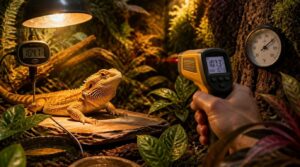
Not all reptile thermometers work the same way, and choosing the right one starts with knowing what’s out there. Each type is built for a specific job inside the terrarium, so one tool won’t always cover every situation. Here are the main types you’ll come across.
Analog Dial Thermometers
Analog dial thermometers are one of the oldest monitoring tools you’ll find in reptile keeping — and they still earn their place.
At the heart of each one sits a bimetallic strip: two metals bonded together that expand at different rates when heated, bending the strip and pushing a needle across a calibrated dial.
Digital Probe Thermometers
Where analog dials rely on metal physics, digital probe thermometers use a thermistor — a tiny resistor that changes electrical resistance as temperature shifts. A microcontroller reads that signal and converts it to a precise number on an LCD display.
Key advantages over analog:
- Accuracy within 0.5–1°C, making small adjustments meaningful
- Sealed probe cables resist terrarium humidity
- Fast sensor response — readings update within seconds
- Multiple external probes map your full temperature gradient
Infrared Temperature Guns
Digital probes excel at tracking air temperature, but when you need to know exactly how hot a basking rock is, that’s where digital infrared temp guns earn their place. They detect infrared radiation emitted from surfaces and deliver a reading in under half a second — no contact needed.
Surface Temperature Monitors
Where an infrared gun gives you a quick spot check, surface temperature monitors stay on the job full‑time. These contact-based sensors — most using NTC thermistors or thermocouples — sit directly on basking rocks or substrate, delivering continuous, real-time readings.
Thermocouples handle higher heat; thermistors respond faster.
Keep probes clean and cables intact for reliable contact sensor accuracy.
Ambient Air Thermometers
Unlike surface monitors, ambient air thermometers measure the air inside your terrarium — not a hot rock or mat. Position the probe at mid-height, at least 15 cm from any heat lamp to avoid skewed readings.
- Digital vs analog: Digital gives instant numeric readouts; analog requires manual dial-reading
- Min-max tracking: Logs overnight temperature dips automatically
- Remote monitoring: Wireless thermometer-hygrometer combos send alerts to your phone
Digital Probe Sensors Explained
Digital probe thermometers are one of the most reliable tools you can use to track what’s actually happening inside your terrarium. They work through a few key components, each playing a specific role in giving you accurate, consistent readings. Here’s a closer look at how each part functions.
Wired Sensor Probe
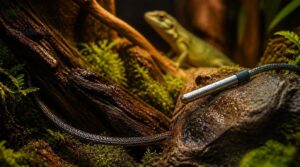
The wired sensor probe is the heart of any digital reptile thermometer. It uses a small sensing element — either an RTD or thermistor — whose electrical resistance shifts as temperature changes.
RTDs are more stable across wider ranges; thermistors are more sensitive but drift faster.
The probe’s shielded cable prevents signal interference, keeping your readings accurate.
External Digital Display
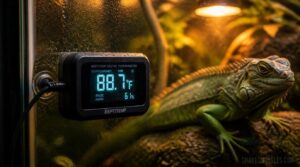
The external display is what makes your readings actually useful. On a digital reptile thermometer, the housing is built to handle terrarium humidity, keeping the electronics safe while the probe does its work inside.
Digital readout readability is clear at a glance — LCD or OLED screens stay legible even under bright basking lights, so you’re never guessing.
Continuous Air Readings
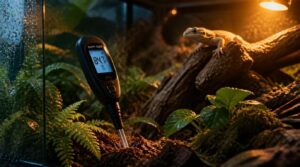
Once the probe is inside the terrarium, your thermometer captures continuous air readings around the clock. This means you’re not just getting a snapshot — you’re watching real-time temperature fluctuations every minute.
Those shifts reveal diurnal warming patterns, showing exactly when heat builds during the day and drops at night, giving you the microclimate trend analysis needed for reliable ambient temperature monitoring.
Basking Area Monitoring
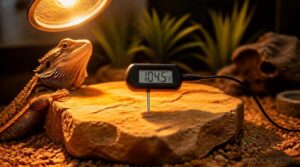
The basking area is where your digital probe earns its keep. Place the sensor at the center of the basking surface — where your reptile actually rests — not hovering near the lamp itself.
- Lamp height adjustments shift surface heat absorption considerably
- Substrate material affects thermal readings
- Basking posture signals comfort or stress
- Thermoregulation cues guide gradient tweaks
Cool Zone Monitoring
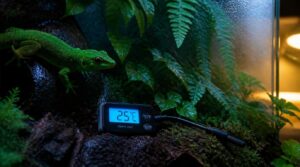
The cool zone is your reptile’s escape hatch — the place it retreats to when it needs to cool down and reset. Daytime air temperature here should stay between 24 and 28°C for most tropical species, dropping to 18–22°C at night to support natural nighttime torpor cycles.
Keep substrate moisture damp but not soggy to support mold prevention without creating fungal conditions.
Infrared Guns Measure Surfaces Only
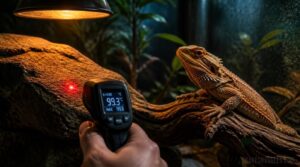
Infrared thermometer guns work differently from every other thermometer type you’ll use in your terrarium setup. Instead of measuring the air, they read the infrared radiation that surfaces emit — giving you the actual temperature of a rock, mat, or branch in seconds. Here’s what you need to know about how and where they actually help.
Detects Infrared Radiation
An infrared thermometer gun works by detecting electromagnetic energy waves — invisible heat signatures radiating off any warm surface.
A built-in thermopile detector captures that infrared signal and converts it into a temperature reading almost instantly.
The accuracy depends on the detector’s spectral response and how far you’re holding it from the surface you’re measuring.
Checks Basking Rocks
Rocks tell a story that air temperature alone can’t.
Point your infrared gun at the basking rock surface right before your reptile settles in, and you’ll catch readings between 35 and 45°C under a proper lamp.
Dark mineral content heats faster, porous surfaces retain warmth longest, and even a little moisture can drop contact temperatures by up to 6°C.
Measures Heat Mats
Heat mats tell a different story from rocks. Point your infrared gun at the mat surface — surface temps should sit between 29°C and 40°C, depending on your species.
Most mats include overheat cutoff protection, but always verify with a quick scan.
A thermostat keeps energy use low and prevents unexpected spikes between readings.
Not for Air Temperature
That scan you just took of your heat mat? It tells you the surface temperature — and that’s where infrared’s usefulness stops.
These devices detect emitted infrared radiation, so they only read surfaces, never the air around them. If you point one into open space, the reading is meaningless.
For actual air temperature monitoring inside your terrarium, you need a digital probe or ambient thermometer.
Useful Spot-checking Tool
Even with its limitations, the infrared gun earns a spot in your reptile care toolkit. It gives you rapid surface checks without touching — or disturbing — your animal.
Verify a basking rock’s temperature in seconds, confirm a heat mat is performing correctly, and move on. Think of it as a quick pulse check that complements your digital thermometer probes between full monitoring sessions.
2. in-1 Devices Track Climate
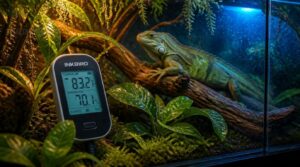
If you want one device doing double duty, a 2-in-1 thermometer/hygrometer is worth a serious look. These compact units track both temperature and humidity at once, cutting down on the number of gadgets cluttering your setup. Here’s what you can expect from the key features these devices bring to the table.
Temperature and Humidity Sensors
A thermometer-hygrometer combines two sensors in one unit — one converts thermal energy into a temperature reading, and a capacitive sensor tracks relative humidity with excellent stability. Digital probes usually respond within seconds and maintain ±0.5°C accuracy. Here’s what these dual sensors handle:
- Temperature detection via thermal conversion
- Humidity measurement through capacitive sensing
- Fast digital response times
- Reduced humidity drift over time
- Precise dual digital readouts
Compact Terrarium Monitoring
A 2-in-1 electronic thermometer and hygrometer solves the clutter problem neatly — one compact device tracks both temperature and humidity inside the terrarium without crowding the space. This matters especially in smaller setups where every inch counts.
Place it centrally, and you get multi-zone monitoring coverage that reflects real conditions, not readings skewed by a heat lamp or a direct mist stream.
Easy Digital Readouts
The backlit LCD display on a 2-in-1 electronic thermometer and hygrometer makes readings genuinely easy to read, even in a dimly lit room. You get real-time temperature readings at a glance, plus min-max tracking that shows the last 24 hours of fluctuations.
Some units add color-coded indicators so you can spot problems instantly, without squinting at numbers.
Alarm Threshold Features
Good 2-in-1 units let you set temperature alarm thresholds — defined high and low limits that trigger alerts the moment a reading crosses the line. Hysteresis settings prevent constant toggling if readings hover near the boundary.
Some devices follow escalation rule protocols, notifying additional caregivers or activating automated safety actions like shutting off heat lamps. Threshold breach logging keeps a record so you can spot patterns over time.
Wireless Sensor Options
Wireless sensors take remote temperature monitoring to the next level. Bluetooth Low Energy models cover up to 50 meters indoors, while WiFi-based options connect through your home router for app-based access anywhere.
Data logging runs quietly in the background, transmitting readings every 5–60 minutes.
End-to-end encryption keeps your sensor data secure, and long-life batteries — or rechargeable packs — minimize maintenance.
Placement Creates Accurate Readings
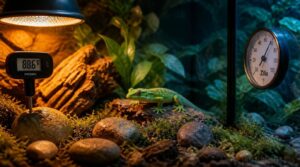
Where you place your thermometer matters just as much as which one you choose. A probe in the wrong spot can give you a reading that’s off by several degrees, which puts your reptile at risk without you even knowing it. Here are the key placement rules to get accurate readings from every part of the enclosure.
If you’re setting up a new enclosure, comparing options like these digital thermometers for hatchling reptiles can help you find a probe precise enough to catch those small but risky temperature swings.
Basking Probe Location
Place the basking probe 2–3 inches from your heat lamp — close enough to capture radiant heat, but not so close that it gives you scorched, inflated readings.
Mount it vertically near the basking rock so it reflects actual rock surface heat rather than drifting air currents.
Orient the probe face toward the surface to monitor where your reptile actually thermoregulates.
Cool Side Probe Placement
The cool side is just as important as the basking zone.
Set your probe on the substrate surface — not dangling in mid-air — so it captures the ground-level temperatures your reptile actually feels when retreating.
Position it in a shaded retreat zone, at least 2–3 cm from heat-retaining rocks, and away from airflow or fans that can skew readings.
Avoid Direct Heat Lamps
Once your cool-side probe is set, think about what’s sitting on the opposite end — your heat lamp. Placing any sensor too close to a direct heat lamp gives you a skewed, inflated reading rather than the true ambient temperature.
Instead, place the device away from the heat source, where diffuse warmth settles naturally, preventing sudden temperature spikes from distorting your data.
Keep Away From Mist
Just like heat lamps, mist systems can throw off your readings if sensors sit too close. Mist sensor bias happens when water droplets land directly on a probe, causing humidity sensor drift and false spikes.
Keep sensors away from spray zones, use barrier misting techniques, and maintain good airflow to prevent condensation pooling and maintain accurate readings.
Match Reptile Activity Zones
Sensor placement should mirror how your reptile actually uses the enclosure. Match probes to activity zones — basking probe near the heat source, cool‑zone probe at the retreat end.
This temperature mapping captures the full thermal gradient that your reptile moves through daily, giving you readings that reflect real enclosure microclimates rather than arbitrary spots.
Gradients Guide Reptile Thermoregulation
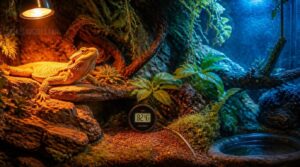
Your reptile can’t regulate its own body heat the way you do — it depends entirely on the temperatures you build into its space. Getting that gradient right means knowing exactly what conditions each zone needs to deliver. Here’s what goes into a well-balanced thermal setup:
A reptile can’t regulate its own body heat—it depends entirely on the thermal gradient you build into its space
Warm Basking Area
The basking zone is the engine room of your terrarium. Flat slate or ceramic tiles make ideal surfaces — they soak up heat and release it steadily, so your reptile gets consistent warmth underfoot.
Position your heat lamp directly above, and place one thermometer near the basking spot to confirm temperatures hit 32–38°C (90–100°F) for most lizards — essential for proper digestion.
Cooler Retreat Zone
On the opposite end of the enclosure, shaded microclimates give your reptile a genuine escape from the heat. Ground temperatures here stay 10–15°F cooler than sunlit surfaces, reducing belly heat load.
Substrate depth and leaf litter help preserve nighttime cooling after sunset. Good airflow stability keeps humidity balanced — making this zone just as essential as the basking spot for effective temperature regulation.
Daytime Temperature Range
Once lamps flicker on, daytime temperature rise reflects diurnal fluctuation impacts, habitat insulation effects, and substrate heat retention working together.
Glazed enclosures trap heat, widening your temperature range, while ventilation range control narrows it.
Match this spread to species metabolic needs through steady temperature monitoring, since ambient thermometers track these temperature fluctuations before they disrupt thermoregulation and stable basking behavior.
Nighttime Temperature Drops
After dark, your terrarium doesn’t hold heat the way it did at noon. Nighttime temperature drops of 5 to 15°F are normal — and, for most reptiles, actually healthy.
That natural dip enhances circadian rhythm support, helping your animal digest, sleep, and reset properly. Dense substrate aids substrate heat retention, slowing the drop and keeping overnight temperature fluctuations from becoming dangerous.
Species-specific Temperature Needs
No two species thermoregulate the same way. Species-specific temperature requirements shift with metabolic digestion rates, juvenile growth needs, nocturnal roosting heat, and narrow microhabitat thermal windows.
Seasonal thermal shifts also matter — good reptile husbandry means adjusting habitat temperature through the year, not setting it once. Consistent temperature monitoring keeps every zone matched closely to what your animal needs to thrive.
Readings Control Heat and Misting
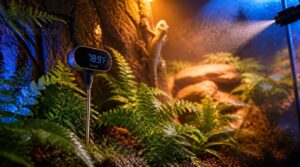
A thermometer only matters if you act on what it tells you. Once you know the actual numbers, you can fine-tune your setup instead of guessing. Here’s how those readings translate into real changes you can make.
Adjust Heat Lamps
When your thermometer shows the basking zone running too hot or too cold, heat lamp positioning is your first adjustment. Move the lamp closer to raise temps or further away to lower them. For ideal basking zones, target 32–35°C by following these steps:
- Recheck readings after every repositioning.
- Program thermostat cycling patterns to prevent heat spikes.
- Match bulb wattage selection to your enclosure size.
Regulate Heat Mats
Once your lamp positioning is dialed in, heat mats need the same attention.
Connect each mat to a dedicated thermostat, targeting 28–32°C. Set a 2–4°C hysteresis so it cycles gradually instead of switching on and off constantly.
Place your surface probe directly on the mat, check it daily, and inspect power cords weekly for wear.
Control Misting Schedules
Once mats are dialed in, shift focus to mist timing strategies. Programmable misting cycles handle humidity control automatically:
- Schedule dawn and evening mists, adjusting seasonally
- Set humidity target ranges between 60–80%
- Shorten cycles in dry months, preventing mold growth
- Use filtered water to limit mineral buildup
Steady humidity monitoring keeps your terrarium’s microclimate stable and predictable, supporting healthy shedding outcomes.
Improve Ventilation Balance
Mist cycles handle moisture, but stale air can undo that work fast. Set up cross ventilation with intake and exhaust vents on opposite walls, then fine‑tune airflow using adjustable vent louvers as seasons shift.
A gentle exhaust fan speed keeps air moving without drying things out.
Add airflow barriers near basking spots, and keep up intake filter maintenance for steady circulation.
Prevent Climate Spikes
Good airflow only helps if you back it up with physical buffers. Deep substrate, four to six inches, absorbs heat swings, while live plants add shade and trim peak temps by up to 5°C.
Hides create cooler microclimates, and water dishes cool through evaporation. Together, these layers smooth out sudden spikes and keep your gradient steady all day.
Calibration Keeps Measurements Reliable
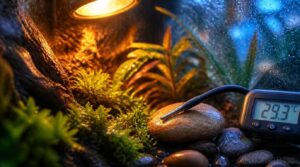
Even a good thermometer can drift off over time, giving you numbers you can’t trust. That’s why regular calibration matters just as much as good placement. Here are five simple checks that keep your readings accurate.
Ice-water Accuracy Check
Calibrate your thermometer using the ice water calibration method before trusting any reading. Crushed ice benefits the bath by cooling fast and evenly, while distilled water’s importance keeps mineral residue from skewing results.
Wait two minutes for thermal equilibrium, then fully submerge the probe.
Submersion technique errors cause false highs. Reference device verification confirms accurate readings and digital probe accuracy.
Replace Weak Batteries
Weak batteries quietly wreck your digital reptile thermometer’s accuracy, causing battery voltage drift that skews temperature readings. Dimming displays are an early warning sign worth catching fast.
- Flickering or blank screens
- Sluggish temperature response
- Silent, unresponsive alarms
- Sudden, unexpected shutdowns
Match battery chemistry, respect polarity markers, and clean corroded terminals before installing fresh cells, keeping your thermometer-hygrometer delivering accurate readings.
Inspect Damaged Probes
Before each use, examine your probe closely. Identifying housing cracks, inspecting cable insulation, and checking connector pins catches early damage that skews readings.
Testing sensor response against a calibrated reference reveals temperature drift beyond your accuracy tolerance—usually ±1°C. Spotting moisture ingress near the tip warns of sensor contamination. Replace any thermometer-hygrometer probe showing these signs before your reptile’s health suffers.
Clean Sensor Surfaces
Dust and grime quietly throw off your readings before you ever notice. Wipe the surface with a microfiber cloth, dampened lightly with isopropyl alcohol, never sprayed directly on the sensor.
Use single, straight passes to lift contaminants without scratching the coating. Skip abrasive materials entirely, then let it air dry fully before reassembly to prevent moisture damage and protect sensor lifespan.
Verify Hygrometer Readings
Can you trust that humidity number? Let your hygrometer acclimate for an hour, then average a few readings to smooth out fluctuations.
- Check against a salt solution for a true calibration
- Log temperature, since heat shifts humidity readings
- Watch for battery drift and swap cells early
- Recheck weekly to calibrate and check accuracy
Skipping this step turns troubleshooting into guesswork.
Frequently Asked Questions (FAQs)
How do vivarium thermostats work?
Your thermostat reads enclosure heat through a sensor probe near the heat source, then cycles power to hold temperature thresholds steady. A built-in alarm flags overheating risks, keeping temperature control stable for your reptile’s gradient.
How to measure temperature in terrarium?
Place a digital thermometer probe at your reptile’s head height in the basking zone, and a second at the cool side to capture the full temperature gradient.
What health problems result from poor temperature regulation?
A cold tank works like a stalled engine: germs multiply while defenses lag. Expect respiratory infections, metabolic disorders, immune suppression, digestive problems, improper shedding, and climbing stress levels—clear signals your gradient needs adjusting now.
How does humidity imbalance affect reptile skin and shedding?
Imbalanced humidity causes improper shedding, poor skin elasticity, and shedding issues—retained eye cap shedding, dysecdysis prevention failures.
Hydration and molting, humidity control, humidity management in terrariums curb fungal growth risks, protecting respiratory health in reptiles.
Conclusion
Think of your terrarium as a living map, where every zone tells a different story. Understanding how reptile thermometers work in terrariums means reading that map accurately — basking rock, cool retreat, ambient air — each spot measured with the right tool, placed in the right spot.
Miss one reading, and your reptile navigates blind. Get it right, and you’ve built more than an enclosure.
You’ve built a habitat that genuinely works.