
This site is supported by our readers. We may earn a commission, at no cost to you, if you purchase through links.

A cigar stored at 80% humidity doesn’t age—it rots. That single number, relative humidity, separates a collection worth savoring from one destined for the trash.
Most humidor owners obsess over their sticks but treat the hygrometer as an afterthought, tossing in whatever analog gauge came taped to the lid. That gauge is often wrong by 5% or more straight out of the box.
The difference between 65% and 70% RH isn’t subtle—it’s the line between a draw that sings and one that tastes like wet cardboard. Choosing the right humidity gauge for your cigar humidor, and trusting it, is the whole game.
Table Of Contents
- Key Takeaways
- Top 10 Humidity Gauges for Cigar Humidors
- 1. Govee Bluetooth Temperature Hygrometer
- 2. ThermoPro TP357 Digital Indoor Hygrometer
- 3. Govee WiFi Temperature Sensor
- 4. SensorPush HT1 Temperature Humidity Sensor
- 5. SensorPush G1 WiFi Temperature Humidity Hub
- 6. Cigar Oasis Digital Hygrometer Thermometer
- 7. Cigars International Humidor Smart Sensor
- 8. SensorPush HTPxw Temperature Humidity Sensor
- 9. Govee Bluetooth Hygrometer Thermometer
- 10. Govee Bluetooth Temperature Humidity Sensor
- Key Features That Matter Most
- Ideal Humidity Levels for Cigars
- Accuracy, Calibration, and Drift
- Placement Tips for Accurate Readings
- Bluetooth Vs WiFi Sensors
- Budget, Mid-Range, and Premium Picks
- Prevent Mold, Beetles, and Spoilage
- Maintenance Tips for Long-Term Accuracy
- Frequently Asked Questions (FAQs)
- What is the most accurate hygrometer for a cigar humidor?
- What is the best humidity level for a cigar humidor?
- Is Boveda 65 or 72 better for humidor?
- How often should I replace my hygrometer?
- Can hygrometers work in travel humidors?
- Do hygrometers need batteries or power sources?
- What causes hygrometer readings to become inaccurate?
- Are wireless hygrometers as accurate as wired?
- Can I use multiple gauges in one humidor?
- Do hygrometers work inside travel humidors?
- Conclusion
Key Takeaways
- Most analog hygrometers ship with a ±5% margin of error right out of the box, so calibrating with a Boveda kit before trusting any reading isn’t optional — it’s the whole foundation of good cigar storage.
- The 65–68% RH sweet spot is where your cigars actually thrive: low enough to prevent mold and beetles, high enough to keep wrappers pliable and flavors intact.
- Bluetooth sensors work fine for desktop humidors, but if your humidor lives in a basement or garage, a Wi-Fi model like the Govee H5179 is worth the upgrade for remote alerts you can actually act on.
- Cabinet humidors can swing 10% RH between top and bottom shelves, so running multiple sensors — not just one — is the only way to know what’s really happening inside.
Top 10 Humidity Gauges for Cigar Humidors
Finding the right humidity gauge can make or break your cigar storage — one bad reading, and your collection pays the price.
The same precision that matters for cigars applies when picking humidity gauges for sensitive reptile enclosures, where an inaccurate reading can have real consequences.
These ten picks cover everything from budget-friendly Bluetooth options to modern Wi-Fi systems, so there’s something here for every humidor setup. Here’s what made the cut for 2026.
1. Govee Bluetooth Temperature Hygrometer
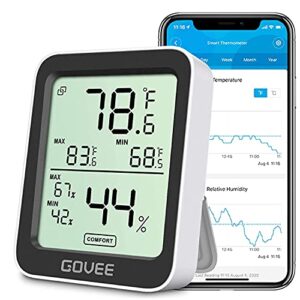
The Govee Bluetooth Hygrometer punches well above its price tag. Its Swiss-made sensor hits ±3% RH accuracy with 2-second refresh intervals — fast enough to catch humidity swings before they hurt your cigars.
You get a clean 3-inch LCD showing current, max, and min readings at a glance.
Pair it with the Govee Home app and you’ll have 2 years of logged data plus custom alerts when conditions drift.
Bluetooth range reaches up to 164 ft in open space.
| Best For | Anyone who needs to keep a close eye on temperature and humidity in a specific space — think wine cellars, cigar humidors, greenhouses, or reptile tanks. |
|---|---|
| Connectivity | Bluetooth LE |
| Temp Accuracy | ±0.54°F |
| Humidity Accuracy | ±3%RH |
| Data Export | CSV, 2 years |
| Alert System | Push threshold alerts |
| Power Source | Replaceable battery |
| Additional Features |
|
- Swiss-made sensor is genuinely accurate (±0.54°F, ±3% RH) and updates every 2 seconds, so you catch changes fast
- Stores up to 2 years of data locally and lets you export it as a CSV — great for spotting long-term trends
- Custom alerts through the Govee Home app mean you don’t have to constantly check; it’ll tell you when something’s off
- No Wi-Fi or cloud sync, so remote monitoring only works when your phone is within Bluetooth range (up to 164 ft, less through walls)
- No backlit display, which makes it tough to read in a dark room or cellar without extra lighting
- Battery life isn’t disclosed, and with constant logging and Bluetooth running, you may find yourself replacing batteries more often than expected
2. ThermoPro TP357 Digital Indoor Hygrometer
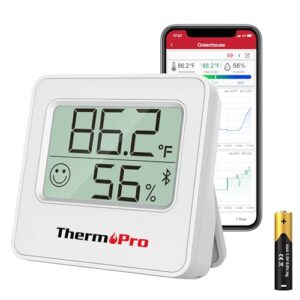
If you want something a little more straightforward, the ThermoPro TP357 keeps things simple without skimping on the specs. It hits ±2% RH and ±1°F accuracy, refreshes every 10 seconds, and logs a full year of data — all viewable as graphs in the ThermoPro app.
Bluetooth 5.0 reaches up to 260 ft in open space, which beats the Govee’s range. At just 35 g, it fits neatly inside a humidor without crowding your sticks.
| Best For | Anyone who wants reliable, no-fuss humidity tracking with solid app support and a slim profile that won’t hog shelf space. |
|---|---|
| Connectivity | Bluetooth LE |
| Temp Accuracy | ±1°F |
| Humidity Accuracy | ±2%RH |
| Data Export | App graphs, 1 year |
| Alert System | Push threshold alerts |
| Power Source | 1x AAA battery |
| Additional Features |
|
- Logs a full year of data with graph views, so spotting trends over time is genuinely easy
- Bluetooth range up to 260 ft beats out most competitors in its class
- Tiny and light at 35 g — slips into tight spaces without any hassle
- Android users can’t export data, which is frustrating if you want to dig into spreadsheets
- Humidity readings below 20% RH lose granularity, rounding to the nearest 10%
- Walls and obstructions can chew into that 260 ft range pretty quickly
3. Govee WiFi Temperature Sensor
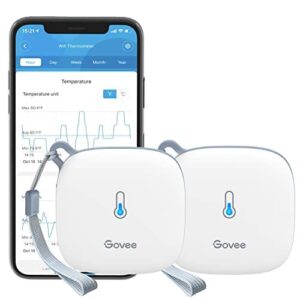
Sometimes Bluetooth range just isn’t enough — especially if your humidor lives in a basement, garage, or walk‑in closet.
That’s where the Govee WiFi Temperature Sensor earns its spot.
It connects to your 2.4 GHz network and lets you monitor humidity and temperature from anywhere through the Govee Home app.
The Swiss-made sensor hits ±3% RH and ±0.54°F accuracy, updating every two seconds.
For reliable placement and calibration tips, see these accurate basement humidity gauge guidelines.
You also get 20 days of online data storage and up to two years of exportable CSV history.
| Best For | Cigar or wine enthusiasts who need to monitor a basement, garage, or walk-in storage space remotely from their phone. |
|---|---|
| Connectivity | Wi-Fi + Bluetooth |
| Temp Accuracy | ±0.54°F |
| Humidity Accuracy | ±3%RH |
| Data Export | CSV, 2 years |
| Alert System | Push threshold alerts |
| Power Source | 3x AA batteries |
| Additional Features |
|
- Connects over Wi-Fi so you can check readings from anywhere, not just when you’re within Bluetooth range
- Swiss-made sensor is genuinely accurate — ±3% RH and ±0.54°F, refreshing every two seconds
- Stores up to two years of exportable history, great if you want to track long-term trends
- Only works on 2.4 GHz Wi-Fi — if your router is 5 GHz only, you’re out of luck
- You have to be physically near the sensor (Bluetooth range) to set or change alert thresholds — no remote config
- Some users have run into intermittent Wi-Fi drop issues that need a manual Bluetooth reset to fix
4. SensorPush HT1 Temperature Humidity Sensor
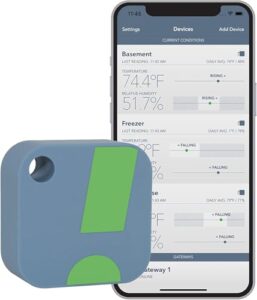
If remote access isn’t a priority, the SensorPush HT1 keeps things refreshingly simple.
It connects over Bluetooth — up to 100 meters line-of-sight — and logs temperature and humidity every minute, storing 20 days of data right on the device.
Accuracy sits at ±1% RH and ±0.8°C, which is genuinely solid for cigar storage.
The companion app lets you set custom alerts and apply calibration offsets.
At 23 grams, it fits anywhere inside your humidor without getting in the way.
| Best For | Hobbyists and home users who want reliable, no-fuss temperature and humidity tracking for humidors, wine cellars, or small grow spaces — and don’t need remote access. |
|---|---|
| Connectivity | Bluetooth LE |
| Temp Accuracy | ±1.4°F |
| Humidity Accuracy | ±1%RH |
| Data Export | CSV/ZIP |
| Alert System | Push/email/alarm |
| Power Source | CR2477 coin cell |
| Additional Features |
|
- Solid accuracy (±0.8°C / ±1% RH) and continuous logging make it genuinely dependable for cigar and wine storage
- Tiny and lightweight at 23g — tucks inside a humidor without taking up noticeable space
- Simple one-button setup with a clean app that handles custom alerts, calibration offsets, and data export
- Remote monitoring isn’t built in — you need to buy the separate G1 Wi-Fi Gateway to check readings away from home
- Not waterproof, so outdoor or high-moisture environments require an extra protective enclosure
- Smart home support is shaky — Alexa integration is hit-or-miss and Google Home isn’t supported at all
5. SensorPush G1 WiFi Temperature Humidity Hub
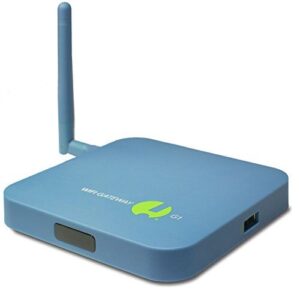
Think of the G1 WiFi Gateway as the HT1’s smarter older sibling. Pair it with your SensorPush sensors, and suddenly you’ve got remote access from anywhere — your phone, your office, your vacation.
It runs on your 2.4 GHz home network and pushes unlimited cloud storage with no monthly fees.
Real-time alerts via push, SMS, or email keep you covered if humidity spikes overnight.
At $99.95, it’s a serious upgrade for anyone managing a cabinet humidor or multiple storage zones.
| Best For | Anyone monitoring multiple sensors across remote locations — think vacation homes, wine cellars, or small food businesses — who wants real-time alerts without paying monthly fees. |
|---|---|
| Connectivity | Wi-Fi Gateway |
| Temp Accuracy | N/A |
| Humidity Accuracy | N/A |
| Data Export | Unlimited cloud |
| Alert System | Push/SMS/email |
| Power Source | AC powered |
| Additional Features |
|
- Unlimited cloud storage with no subscription — pay once and you’re done.
- Real-time push, SMS, and email alerts so you know the second something goes wrong.
- Multiple people can check in at the same time, great for families or small teams.
- Sensors aren’t included, so the total cost adds up fast if you need several.
- Email alerts have to be set up through the web portal, not the app — a bit clunky.
- It’s only as reliable as your home Wi-Fi; if the internet goes down, so does your remote monitoring.
6. Cigar Oasis Digital Hygrometer Thermometer
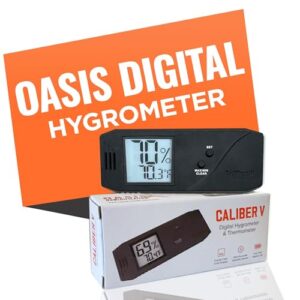
Built specifically for cigar storage, the Cigar Oasis Digital Hygrometer Thermometer earns its spot through purpose-built precision. Its Swiss-made sensor comes factory pre-calibrated, so you’re not guessing out of the box.
The slim 4×1-inch profile fits most humidors without crowding your sticks, and the magnetic mounting plate locks it in place cleanly.
You can manually adjust calibration up to ±6% RH if readings drift.
At $29.00, it’s a solid mid-range pick that just works.
| Best For | Cigar enthusiasts who want a reliable, no-fuss hygrometer that’s ready to use right out of the box. |
|---|---|
| Connectivity | None (standalone) |
| Temp Accuracy | Not specified |
| Humidity Accuracy | ±6% adj range |
| Data Export | None |
| Alert System | None |
| Power Source | Included battery |
| Additional Features |
|
- Swiss-made sensor comes pre-calibrated, so setup takes minutes
- Slim magnetic design fits neatly inside most humidors without taking up space
- Manual calibration lets you fine-tune readings if something seems off
- Calibration only adjusts ±6% RH, which may not cut it if your unit is way off
- The battery holder can crack if you’re not careful removing the battery
- Readings can bounce around in spots with lots of airflow or temperature changes
7. Cigars International Humidor Smart Sensor
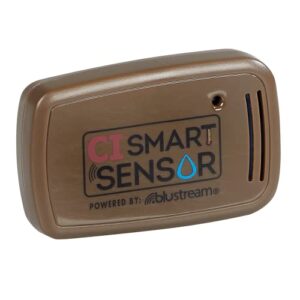
If you live inside the Cigars International ecosystem, this sensor fits right in. At $39.99, it connects via Bluetooth Low Energy to the CI Smart Sensor app, sending real-time humidity and temperature readings straight to your phone.
No built-in screen, so the app does all the talking. Velcro backing keeps it on the lid, saving interior space for your cigars.
Push alerts warn you before conditions drift. Just know: some units stall on calibration, and customer support can be slow.
| Best For | Cigar lovers already using the Cigars International app who want a simple, no-fuss way to keep tabs on their humidor from their phone. |
|---|---|
| Connectivity | Bluetooth LE |
| Temp Accuracy | Not specified |
| Humidity Accuracy | Not specified |
| Data Export | In-app only |
| Alert System | Push notifications |
| Power Source | Coin cell battery |
| Additional Features |
|
- Real-time humidity and temperature alerts sent straight to your phone so you catch problems early
- Velcro lid mount keeps it out of the way and leaves more room for your cigars
- Built-in app ordering makes restocking Boveda packs quick and easy
- No screen means you’re completely dependent on your phone being nearby to get a reading
- Some units get stuck on calibration and never actually report data
- Customer support can be slow and frustrating if something goes wrong
8. SensorPush HTPxw Temperature Humidity Sensor
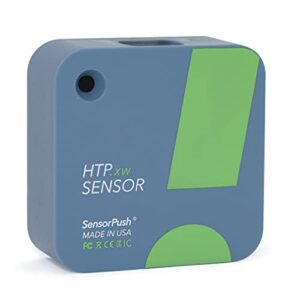
The SensorPush HTPxw plays in a different league.
At $89.99, it’s the priciest standalone sensor on this list — but the specs back it up.
You’re getting ±0.1°C temperature accuracy and ±1.5% RH humidity readings, plus barometric pressure tracking most humidor sensors skip entirely.
It’s splash-resistant, runs two-plus years on a single CR2477 battery, and logs 30 days of data on-device.
Pair it with the optional G1 Wi-Fi Gateway, and you’ve got cloud access from anywhere.
| Best For | Anyone who needs seriously accurate temperature and humidity tracking — think wine cellars, grow tents, or freezers where getting it wrong actually costs you something. |
|---|---|
| Connectivity | Bluetooth LE |
| Temp Accuracy | ±0.18°F |
| Humidity Accuracy | ±1.2%RH |
| Data Export | CSV export |
| Alert System | Push/email/text |
| Power Source | CR2477 coin cell |
| Additional Features |
|
- Accuracy is genuinely impressive — ±0.1°C and ±1.2% RH puts it ahead of most sensors in this price range
- Tracks barometric pressure, heat index, dew point, and VPD on top of the basics — great for plant growers especially
- 30 days of on-device logging plus unlimited app history means you won’t lose data if your phone’s out of range
- At $89.99, it’s the most expensive sensor on this list — and you’ll pay extra if you want the Wi-Fi gateway for remote access
- Bluetooth range takes a real hit through walls and metal, so placement matters more than you’d think
- Battery life drops in freezing temps, which is inconvenient given how often people use it in cold storage
9. Govee Bluetooth Hygrometer Thermometer
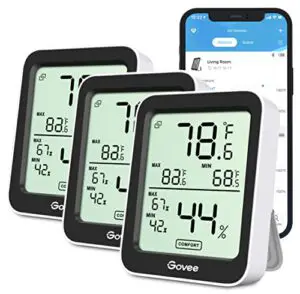
Sometimes the best tool is the one that does the job without drama. The Govee Bluetooth Hygrometer Thermometer (H5075) comes in a pack of three, making it easy to monitor different zones without breaking the bank.
Its Swiss-made sensor hits ±3% RH and ±0.54°F accuracy — solid for the price. You get a 3-inch LCD, 196-foot Bluetooth range, and two years of exportable data through the Govee Home app.
Custom alerts keep you notified the moment humidity drifts.
| Best For | Anyone who wants to keep an eye on temperature and humidity across multiple rooms or spaces — think wine cellars, baby nurseries, greenhouses, or anywhere conditions actually matter. |
|---|---|
| Connectivity | Bluetooth LE |
| Temp Accuracy | ±0.54°F |
| Humidity Accuracy | ±3%RH |
| Data Export | CSV, 2 years |
| Alert System | Push threshold alerts |
| Power Source | Unspecified battery |
| Additional Features |
|
- Comes as a pack of three, so you can cover different zones without buying multiple separate devices
- Swiss-made sensor with solid accuracy (±0.54°F, ±3% RH) and a fast 2-second refresh rate
- Two years of exportable data and custom alerts through the Govee Home app make tracking trends genuinely useful
- No backlight on the LCD, so reading it in a dark room or garage is a pain
- Bluetooth range drops fast through walls, which can be frustrating in larger homes
- Battery life isn’t specified anywhere, so you’re relying on the app to catch it before it dies
10. Govee Bluetooth Temperature Humidity Sensor
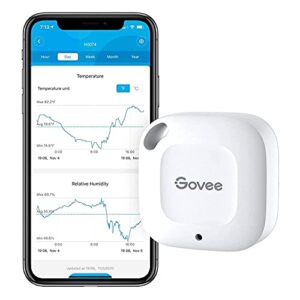
Think of this one as the minimalist in the lineup. The Govee Bluetooth Temperature Humidity Sensor skips the display entirely — no screen, no dial, just a tiny 1.57‑inch square that feeds live data straight to your phone.
Its Swiss‑made sensor delivers ±3% RH accuracy and updates every two seconds, so you’re never guessing.
Store up to 20 days on‑device, export two years of history as CSV, and get instant alerts when things drift.
Small footprint, serious data.
| Best For | Anyone who wants dead-simple environmental monitoring — think plant parents, home brewers, instrument collectors, or anyone keeping an eye on a fridge or humidor without needing a screen on the device itself. |
|---|---|
| Connectivity | Bluetooth 4.0 |
| Temp Accuracy | ±0.54°F |
| Humidity Accuracy | ±3%RH |
| Data Export | CSV, 2 years |
| Alert System | Push threshold alerts |
| Power Source | CR2477 coin cell |
| Additional Features |
|
- Swiss-made sensor with ±0.54°F and ±3% RH accuracy, updating every two seconds — genuinely precise for the price
- Tiny and flexible — at 1.57 inches square, it fits in a closet, cabinet, or ceiling corner no problem
- Two years of exportable history in CSV format makes it easy to spot trends or prove your storage conditions are solid
- Bluetooth only — no Wi-Fi, no remote access, so you have to be within 262 feet with your phone to pull data
- No screen on the device itself, meaning you’re flying blind without the app open
- A known bug can throw false temperature spike alerts in the thousands of degrees, which gets old fast
Key Features That Matter Most

Not every hygrometer is built the same, and the differences can make or break your cigar collection.
A few key specs separate the reliable ones from the ones you’ll end up tossing after a bad batch.
Here’s what to look for before you buy.
Accuracy and Margin of Error
Most digital sensors carry a factory margin of error of ±2–3% RH — and that gap matters more than you’d think. Temperature compensation helps tighten readings, but humidity gradients inside your humidor can still skew sensor accuracy.
Calibration closes that gap. Ignore it, and calibration drift quietly adds another 0.5% yearly error.
Solid error modeling and strong statistical confidence start with one simple habit: calibrate before first use.
Digital Vs. Analog Displays
Once you’ve nailed accuracy, your next call is the display type. A digital hygrometer gives you exact numbers — no squinting, no guessing.
Readability under light is a non‑issue since the screen emits its own glow.
Analog dial displays have old‑school charm, but analog vs digital cigar hygrometers differ sharply on data granularity and response latency.
Go digital. It wins, practically speaking. analog displays reduce glare makes them softer on the eyes in low‑light settings.
Built-in Temperature Readings
Beyond the display type, a good digital sensor does double duty. Most built-in temperature readings update every 30 seconds to five minutes and report in either temperature unit — Celsius or Fahrenheit, your call.
That dual humidity/temperature display tells you fast if your humidor is creeping toward the 72°F beetle-risk zone.
Some models even push temperature alerts straight to your phone.
Calibration Controls and Ease of Use
Temperature alerts are great — but only if your sensor is actually reading correctly. That’s where calibration controls earn their keep.
- Physical Calibration Knob — turn and match to a 75% RH reference
- One-Click Calibration via User-friendly app interfaces for hygrometers
- App Guided Calibration with step-by-step on-screen prompts
- Auto-Calibration Settings that self-corrects weekly drift automatically
- Battery-independent Calibration memory that survives power swaps
A quality digital sensor stores your offset, so you never start from scratch.
App Alerts and Trend Tracking
Watching your humidity trends in real time is where smart sensors earn their price tag. The best apps let you set custom thresholds, snooze alerts, and manage Multi-Humidor Profiles — each with its own rules.
Anomaly Detection flags sudden spikes automatically.
Trend Export Formats like CSV make offline analysis easy.
That combination of mobile app alerts, data logging, and remote monitoring keeps your collection protected around the clock.
Ideal Humidity Levels for Cigars

Humidity isn’t just a number—it’s the difference between a cigar that smokes beautifully and one that crumbles or turns moldy. Most cigars thrive somewhere in the 62%–72% RH range, but where you land within that window matters more than you’d think.
Humidity isn’t just a number—it’s the fine line between a perfect smoke and a ruined collection
Here’s what you need to know before locking in your target level.
Industry-standard 62% to 72% RH Range
Think of the 62%–72% RH range as your cigar’s comfort zone — step outside it, and things go sideways fast. Relative humidity control isn’t optional; it’s the foundation of proper cigar storage conditions. RH stability factors like cedar interaction, shelf microclimates, and seasonal adjustments all influence where your humidor actually lands within that band.
- Cigars stay pliable and smokeable between 62%–72% RH
- Cedar lining absorbs and releases moisture, shifting your humidity setpoint
- Shelf microclimates can vary by several percentage points top to bottom
- Seasonal adjustments keep humidity tolerance steady year-round
Why 65% to 68% Often Works Best
Most seasoned collectors land on 65%–68% relative humidity as their preferred sweet spot — and for good reason. This narrower band nails the balance between wrapper flexibility and burn consistency, keeping oils mobile enough for aroma preservation without oversaturating the leaf.
Humidity setpoints here support cigar flavor retention across wrapper types, maintain aging efficiency during long-term storage, and deliver the flavor stability your cigar storage conditions actually demand.
Effects of Humidity That is Too High
Push humidity past 70% RH, and your humidor turns into a slow-motion disaster zone.
Four things happen fast:
- Mold risk spikes within 24–48 hours, leaving black or white patches on cedar and wrappers.
- Tobacco beetle eggs hatch faster in moist heat, threatening your entire collection.
- Aroma masking kicks in as musty odors overwhelm natural cedar notes.
- Moisture stiffness causes leaf splitting, cigar draw tightness, and uneven burns.
Humidity risk management starts with keeping your sensor honest.
Effects of Humidity That is Too Low
Drop below 62% RH, and your cigars start drying out fast — brittle wrapper, cracked caps, flavor diminution across the board.
| What Goes Wrong | Why It Matters |
|---|---|
| Cigar cracking at the cap | Elasticity disappears as moisture leaves |
| Static electricity buildup | Attracts dust, dulls darker wrappers |
| Uneven aging in the humidor | Some sticks dry faster than neighbors |
| Flat cigar flavor profile | Essential oils evaporate, burn characteristics suffer |
Calibrate your sensor regularly — low humidity makes readings drift fastest.
Matching Humidity to Cigar Storage Goals
Your storage goal changes everything about where you set that dial.
- Flavor Preservation: Target 64–67% RH for quick-turnover cigars — keeps them fresh without picking up mustiness.
- Aging Optimization: Hold 68–70% for long-term stacks; moisture migration control happens gradually at this range.
- Cigar Type Tailoring: Maduros handle 70–72% fine; lighter wrappers need lower humidity for proper burn.
Seasonal Climate Adjustment matters too — recalibrate your hygrometer when seasons shift.
Accuracy, Calibration, and Drift

A hygrometer is only as good as its accuracy — and out of the box, most need a reality check before you trust them with your cigars. Calibration isn’t a one-time chore either; drift happens slowly, and a gauge that was spot-on last year might be lying to you today.
Here’s what you need to know to keep your readings honest.
Why Calibration Matters Before First Use
Before you trust any reading, calibrate. Every hygrometer ships with manufacturer tolerances that can throw your baseline accuracy off by 2–5% right out of the box.
Skipping humidity calibration methods at first use means your data trustworthiness is already compromised. Early drift prevention starts with reference standard alignment — confirm your sensor is reading correctly before it ever touches your humidor.
Boveda Kit Vs. Salt Test
Two solid humidity calibration methods exist: the Boveda Calibration Kit and the DIY Salt Test.
The Boveda kit costs $8–10, completes in 15–30 minutes, and delivers ±1% accuracy — minimal user skill level required.
The salt test uses household materials but demands precise setup time and careful sealing, often drifting 3–5%.
For long-term stability and reliable sensor accuracy, the Boveda kit wins easily.
Recalibration Every 6 to 12 Months
Even after nailing calibration, don’t assume your hygrometer stays accurate forever. Sensors drift — slowly, silently, and often unnoticed.
That’s why recalibrating every 6 to 12 months matters for long-term drift monitoring. Active humidors benefit from the shorter end; passive storage can stretch to 12.
A quick run with your Boveda Calibration Kit keeps calibration frequency benefits working in your favor year‑round.
How to Apply Calibration Offsets
Once you’ve run the Boveda Calibration Kit or salt test calibration method, applying your Single Point Offset is straightforward — note the gap between your reading and the 75% reference, then enter that number into your device’s settings.
For wider ranges, Multi Point Offset calibration gives you better coverage.
Keep Offset File Management tidy with dated records, then run Post Offset Validation to confirm accuracy holds.
Signs Your Hygrometer is Drifting
Gradual RH drift is sneaky — it doesn’t announce itself. Watch for inconsistent day readings that shift unexpectedly, or sudden value spikes that don’t match real humidity fluctuations.
Battery offset is another culprit; weak batteries skew measurements quietly. Sensor condensation fog can slow response time noticeably.
When your calibration reference reveals a gap beyond ±2%, your sensor accuracy and drift over time have become a real problem worth addressing immediately.
Placement Tips for Accurate Readings
Even a great hygrometer gives bad readings if you put it in the wrong spot. Where you place your sensor inside the humidor matters just as much as which model you buy.
Here are the placement rules that keep your readings honest.
Mount at Cigar Level Near The Center

Think of your hygrometer as a cigar’s doctor — it needs to be where the patient actually lives.
Mount it at cigar level near the center of your humidor for the best placement for hygrometer inside a humidor.
Central mount benefits include airflow uniformity, draft minimization, and better sensor visibility.
Most units support magnetic backs or screw mounts, so mounting hardware options are flexible.
Keep Sensors Away From Humidification Sources
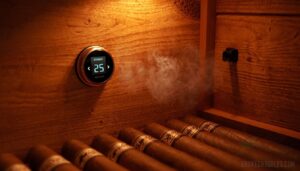
Your humidification source is basically a firehose of skewed data if your sensor sits too close. Keep at least 12 inches of distance from sprayers and misting heads — that’s your moisture buffer zone.
Avoid direct plume contact entirely. Shielded mounting with airflow separation ensures your sensor reads ambient air, not a spray cloud, giving you the accurate baseline your humidification packs actually need.
Avoid Lids, Vents, and Top Edges

Place your hygrometer away from lids, vents, and top edges — these spots are notorious for Lid Proximity Bias and Top Edge Condensation that throw off your readings entirely. Vent Interference pulls moisture away from the Central Sensor Zone, making humidity zone indicators report falsely low numbers.
Edge-Free Placement keeps your humidity monitoring devices reading actual ambient air, not trapped heat or airflow distortion.
Use Separate Sensors in Cabinet Humidors

Cabinet humidors aren’t a single environment — humidity can vary by up to 10% RH between top and bottom shelves. That’s why Zone Isolation Benefits matter: one sensor simply can’t tell the whole story.
Deploy a Redundant Sensor Strategy with Independent Drift Monitoring per shelf, enabling Targeted Humidification Control and Modular Sensor Swapping without disrupting other zones.
Bluetooth connectivity makes Remote Monitoring of Humidors easy.
Let New Readings Stabilize After Moving

Moving your humidor triggers a Temperature Equilibration Period you can’t skip. Sensor Settling Time runs 24–48 hours — don’t rush it.
Direct Drafts near the sensor during this window, or humidity drift and calibration drift will skew your numbers.
Delay Calibration Adjustments until temperature stability is confirmed, then Cross-Check Multiple Sensors to spot any consistent offset before you calibrate.
- Recheck at 6, 12, and 24 hours
- Compare all sensors for shared drift patterns
- Only adjust calibration after readings stop moving
Bluetooth Vs WiFi Sensors
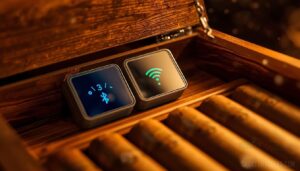
Choosing between Bluetooth and Wi-Fi sensors comes down to how closely you want to monitor your humidor — and how much setup you’re willing to deal with. Both options have real trade-offs worth knowing before you buy.
Here’s what to evaluate across the five key differences that matter most.
Bluetooth Range and Battery Life
Bluetooth sensors are the go-to for most desktop humidors — and for good reason. Most Class 2 devices deliver reliable signal within 30 meters, though walls and metal shelves can cut that range by half. Smart antenna placement matters more than specs suggest.
| Factor | What to Expect |
|---|---|
| Indoor Range | 10–30 meters typical |
| Battery Life | 1–2 years with BLE |
| Advertising Interval | Longer = better battery optimization |
| Signal Interference | WiFi routers reduce reliability |
Adjust your advertising interval settings to extend battery life without sacrificing remote monitoring accuracy.
WiFi Remote Access and Alerts
Where Bluetooth tops out, WiFi picks up the slack. The Govee WiFi H5179 pushes readings to a Cloud Dashboard Integration every few minutes — accessible from any browser or mobile app.
You get Multi-Channel Notification support: push, email, or SMS when humidity drifts outside your range.
| WiFi Feature | What You Get |
|---|---|
| Remote Monitoring | Access from anywhere via app or browser |
| Alert Channels | Push, SMS, and email notifications |
| Latency Monitoring | Updates every 1–5 minutes |
| User Access Controls | Secure login with 2FA support |
| Firmware OTA Updates | Automatic security and feature patches |
Smart features like these turn passive storage into active protection.
2.4 GHz Network Requirements
WiFi sensors only connect to 2.4 GHz networks — not 5 GHz. That’s a simple rule worth double-checking before you buy.
| Requirement | 2.4 GHz Detail | Why It Matters |
|---|---|---|
| Channel Selection | Channels 1, 6, or 11 | Reduces overlap and interference |
| Interference Management | Avoid crowded bands | Keeps readings consistent |
| Power Limits | 0–20 dBm regulated | Ensures regulatory compliance |
| Antenna Placement | Away from metal surfaces | Improves wireless connectivity |
| Smart Home Integration | Works with Zigbee/BLE overlap | Broadens remote monitoring options |
Gateway Needs for Some Systems
Some WiFi sensors need a dedicated gateway to push data to the cloud. The SensorPush G1 WiFi Gateway is a good example — it bridges your HT1 sensor to remote monitoring through any internet connection.
The Govee WiFi H5179 skips that step entirely.
| Feature | Gateway-Required Systems |
|---|---|
| Remote Management | Full cloud access anywhere |
| Firmware Signing | Verified secure updates |
| Secure Boot | Protected startup integrity |
| Network Redundancy | Wired + wireless fallback options |
Privacy and Data-sharing Considerations
Smart sensors are convenient — but they come with a privacy trade-off worth understanding. When you connect a gauge to an app, it often collects device identifiers and location data stored in cloud storage.
Look for devices offering data encryption, clear user consent flows, and transparent third-party sharing policies.
Here’s a quick breakdown:
| Privacy Feature | Bluetooth Sensors | WiFi Sensors |
|---|---|---|
| Secure Transmission | Local only | TLS-encrypted cloud |
| Data Retention | On-device, short-term | Cloud-stored, varies |
| Third-Party Sharing | Minimal | Possible via app |
Stay privacy-conscious — read the policy before connecting.
Budget, Mid-Range, and Premium Picks
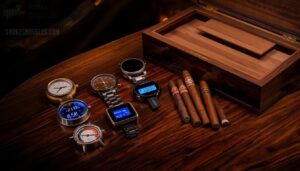
Not every cigar collection needs the same level of tech — or the same budget. Whether you’re protecting a desktop humidor or a full cabinet setup, there’s a gauge that fits both your storage goals and your wallet.
Here’s a breakdown of the best picks across every price range.
Best Value Under $20
You don’t need to spend much to protect your collection. The Govee Bluetooth Hygrometer and ThermoPro TP357 both land under $20 and punch well above their price-to-performance ratio.
Users consistently give these budget smart hygrometers strong feedback scores for easy setup, compact form factor, and durable housing.
For cheap hygros that actually work, these are the best hygrometers for cigars on a tight budget.
Mid-range App-connected Sensors
Step up your monitoring game with midrange smart hygrometers like the Govee H5075. These sit in the $20–$60 range and deliver real value: Bluetooth and WiFi connectivity, remote access from anywhere, cloud sync options, and multi-sensor integration for larger setups.
The App UI Design is clean, battery optimization keeps cells running for months, and smart home integration means your humidor fits right into your existing ecosystem.
Premium Systems With Gateway Support
Gateway systems are where monitoring gets serious. The SensorPush G1 WiFi Gateway and Govee WiFi H5179 offer true remote access from anywhere, not just across the room.
premium smart hygrometers worth the investment:
- Secure Cloud Integration keeps your data encrypted end-to-end
- Dual Network Redundancy means no blind spots during outages
- Centralized Alert Management across multiple sensors simultaneously
- Firmware OTA Updates delivered automatically
- User Access Controls let you manage who sees what
Best Choices for Small Humidors
For a 5–25 cigar desktop box, slim wins every time.
The Caliber V Digital Slim Hygrometer at $21.99 fits flush against Spanish cedar shelf walls without blocking your glass lid view. Its magnetic mounting solution sticks cleanly inside without screws.
Compact humidifier types pair naturally with it, and the slim profile makes it genuinely travel‑friendly — no fumbling, no bulk.
Best Choices for Cabinet Humidors
Cabinet humidors play in a different league. humidity stratification** is real — the top shelf can run 10% RH higher than the bottom.
- Mount sensors on both Cedar Shelf Design levels for true Airflow Optimization
- Glass Door Benefits visibility without constant lid-opening
- Cigar Oasis Caliber 4R tracks three-day trends with ±1% accuracy
- Humidity Buffer Media stabilizes swings between readings
- Power Backup Solutions keep smart alerts active during outages
Prevent Mold, Beetles, and Spoilage

A good hygrometer does more than track numbers — it’s your first line of defense against the things that quietly ruin cigars: mold, tobacco beetles, and moisture damage. Once conditions drift outside your target range, the damage happens faster than you’d expect.
Here’s what to watch for and when to act.
Keep Temperatures Below 72°F
Temperature is the silent killer of a good collection. Push past 72°F and you’re rolling out the welcome mat for tobacco beetles and mold.
Keep your humidor between 65–70°F using smart Ambient Room Management — think placement away from heat sources, Insulation Materials like dense wood lining, and Thermal Barrier Sealing with triple gaskets.
A reliable temperature sensor with temperature display makes this simple.
| Strategy | Method | Target Result |
|---|---|---|
| Passive Cooling Strategies | Move humidor from sunlight | Stay under 72°F |
| Thermal Barrier Sealing | Triple gasket lids | Minimize heat exchange |
| Insulation Materials | Dense wood lining | Slow external temperature influence |
| Heat Exchanger Design | External fan ducting | Even temperature stability |
| Ambient Room Management | Climate-controlled room | Consistent 65–70°F interior |
Avoid Condensation Inside The Humidor
Condensation shows up when warm, humid air hits a cool interior surface — and it’s sneakier than mold. Keep your RH between 65–69% with Gradual Humidity Changes, never jumping levels abruptly.
Airflow Management and Seal Integrity Checks prevent moisture pockets. Use Condensation Monitoring Alerts on your humidity gauge for real-time Temperature Stabilization warnings before droplets form.
Spot Musty Odors and Excess Dampness
Your nose is often the first humidity sensor you’ve got. A musty smell usually means Mold Indicator Signs are already developing in Airflow Stagnation Zones — corners, packed shelves, anywhere air barely moves.
Run Odor Source Mapping and Damp Spot Detection by checking:
- Visible staining or warping on interior wood
- White powdery deposits (efflorescence) near seals
- Elevated hygrometer readings revealing a Humidity Gradient Mapping imbalance
- Sweet-earthy aromas signaling active fungal growth
Solid humidity management catches this early.
How Bad Readings Damage Cigars
A faulty hygrometer doesn’t just give you bad numbers — it quietly ruins your cigars.
Moisture Imbalance from inaccurate readings causes Wrapper Warping, Flavor Loss, and Burn Inconsistency. Drift as small as 3% RH shifts cigar moisture by 1–2 grams per stick.
That’s enough to invite mold, trigger tobacco beetle activity above 72°F, and flatten the complex flavors you paid for. Calibration isn’t optional.
When to Reduce Humidification Output
When your humidor creeps past 70% humidity for six straight hours, cut output by 10–20%.
Seasonal warm adjustments matter too — ambient spike response during summer months means dropping supply 15–25%.
Factor in cigar density effect: tightly packed shelves trap moisture fast.
Watch for shelf stratification balance issues and sensor lag compensation needs.
Letting readings drift invites mold and tobacco beetle activity — the humidity debate, 70% vs lower levels, always lands below 68%.
Maintenance Tips for Long-Term Accuracy

A good hygrometer doesn’t maintain itself — little routine care goes a long way toward keeping your readings trustworthy for years. Most problems that cause drift or failure are completely preventable with few simple habits.
Here’s what actually matters over the long run.
Replace Batteries Before They Fail
Don’t wait for your smart hygrometer to go dark before swapping batteries. Battery Health Monitoring is your first line of defense — most digital hygrometers and battery-powered sensors show reduced accuracy well before total failure.
Replacement Scheduling Guidelines: change batteries every 1–2 years, or immediately at the 80% Capacity Threshold. Battery Compatibility Checks and practice Safe Battery Disposal at certified recycling points.
Clean Sensors and Housings Gently
Your digital hygrometer or capacitive sensor deserves the same care as your cigars.
Use Gentle Cleaning Materials — a microfiber cloth dampened with 70% isopropyl alcohol — and stick to Avoiding Abrasive Tools like paper towels that scratch sensor domes.
Follow proper Drying Procedures: air dry five minutes minimum.
Wear Protective Gloves to keep skin oils off housings.
Maintain a quarterly Cleaning Frequency Schedule, then calibrate to confirm humidity sensor calibration accuracy.
Review Historical Trend Data Regularly
Think of your hygrometer’s app as a logbook — one worth actually reading. Monthly Data Review catches slow humidity creep before it ruins a stick.
Dig into Seasonal Pattern Analysis to spot recurring summer spikes.
Use Outlier Detection and Trend Visualization Frequency tools to flag sensor drift early.
Good User-friendly App Interfaces for Hygrometers make historical trend analysis, Calibration Event Correlation, and Data Export and Historical Trend Analysis genuinely painless via cloud storage.
Recalibrate After Moving The Humidor
Moving your cigar humidor is basically hitting the reset button on your readings. Give it 24–48 hours for Stabilization Delay before trusting the numbers.
Then do a Baseline Reassessment — compare current humidity against your prior Calibration Record. Ambient Impact is real: a new room means new conditions.
Post‑Move Verification confirms everything’s settled. Recalibrate if readings drift beyond 2–3% RH.
Check Warranty and Support Options
Most humidity gauges carry a one-year limited Warranty Coverage, with some brands extending to three years if you register within 30 days.
Before anything breaks, know your Support Channels — email, live chat, and phone lines are typical.
The Claim Process is straightforward: serial number, proof of purchase, done.
Watch for Warranty Exclusions, like water damage or third-party modifications, which void Eligibility Criteria fast.
Frequently Asked Questions (FAQs)
What is the most accurate hygrometer for a cigar humidor?
For hygrometer accuracy, the Cigar Oasis and Caliber V consistently top user reviews, hitting ±1% RH. Pair either with Boveda calibration kits and you’ll eliminate drift trends fast.
What is the best humidity level for a cigar humidor?
Aim for 65–68% RH. That sweet spot nails flavor retention and cigar longevity without triggering mold or drying out your wrappers.
Is Boveda 65 or 72 better for humidor?
Go with Boveda 65 for a drier Flavor Profile and better Burn Ease. Choose 72 for Aging Preservation and looser Humidor Seal Effect. Pack Consumption Rate runs slightly higher at
How often should I replace my hygrometer?
Plan on replacing yours every one to two years.
Age-related drift and environmental wear quietly erode sensor technology accuracy—your best replacement triggers are failed recalibration attempts and expired warranty periods.
Can hygrometers work in travel humidors?
Yes, they can.
Travel-friendly cigar hygrometers with a slim profile and compact sensor size fit most travel cases easily.
Look for strong battery life and Bluetooth connectivity to monitor readings without opening the lid.
Do hygrometers need batteries or power sources?
It depends on the type. Analog models run on pure mechanics — no battery needed.
Digital, Bluetooth, and WiFi units are battery powered, usually lasting one to two years before needing a swap.
What causes hygrometer readings to become inaccurate?
Several things throw off hygrometer readings: sensor contamination from dust or oils, battery voltage issues, airflow disturbances near vents, humidity extremes exposure, and temperature gradient effects.
Calibrate regularly and recalibrate after moving your humidor.
Are wireless hygrometers as accurate as wired?
Wireless hygrometers match wired accuracy almost perfectly. Calibrate your digital sensor before first use, minimize signal interference impact, and placement beats connection type every time.
Can I use multiple gauges in one humidor?
Absolutely — running multiple gauges is smart, especially in cabinet humidors where humidity stratification is real.
You get redundancy benefits, gradient mapping across shelves, and cross verification that one drifting sensor won’t mislead you.
Do hygrometers work inside travel humidors?
Yes, hygrometers work inside travel humidors. Miniaturized sensors handle tight spaces well, though seal integrity and environmental fluctuations during transit can affect accuracy.
Digital models outlast analog here — just watch battery life.
Conclusion
Think of your humidor as a vault—and the right humidity gauges for cigar humidors as the combination lock. Without accurate readings, you’re guessing, and guessing costs you sticks you’ll never get back.
Whether you go with a budget ThermoPro or a full SensorPush ecosystem, what matters is trusting your numbers.
Calibrate before you commit. Place sensors smartly. Check your readings regularly.
Your cigars are already doing their part—aging patiently. Return the favor.